Xbox 360 avatars in Unity
In Unity, add the 360sona Renderer package, put a SonaContext in the scene and a SonaAvatar component on each
avatar. Unity draws the avatar with its own renderer, from posed meshes the package hands it each frame.
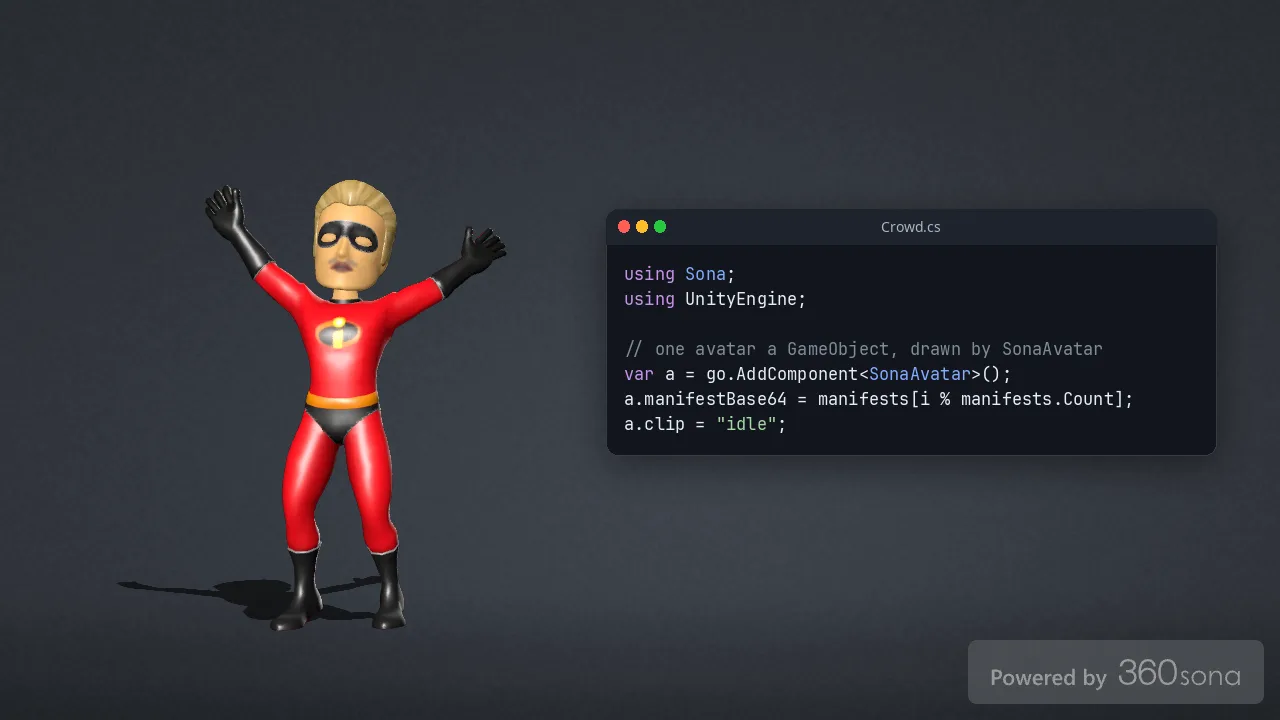
Steps
- Get an app id and download the SDK for your platforms (the web API docs). The
download holds the
com.360sona.rendererpackage and yoursona-licence.json. - In the Package Manager, add the package from disk (its
package.json). - Add a
SonaContextto one GameObject. Setlicenceto yoursona-licence.json. - Add a
SonaAvatarto a GameObject for each avatar, with its manifest as base64 text. From code:
var a = go.AddComponent<SonaAvatar>();
a.manifestBase64 = manifests[i % manifests.Count];
a.clip = "idle";
Then a.Play("GenericWave") waves. The Transform places the avatar, and Unity draws it with the package's
Sona/Avatar shader in the Built-in pipeline or URP.
A player's own avatar
A player can bring their old Xbox 360 avatar into your Unity game: the gamertag lookup
gives the avatar on their Xbox account as a manifest, and SonaAvatar draws it like any other.
More
- The Unity tutorial builds the starter scene step by step.
- The Mecanim bridge (
SonaAnimatorBridge) drives the avatar from humanoid clips, andSonaAvatarEditordrops the player editor into your game. - Credit:
SonaCreditshows a small "Powered by 360sona" badge. Keep it, or put the line in your credits. - 360sona is not affiliated with or endorsed by Microsoft.
This page as Markdown · All the docs as one file (llms-full.txt)