Xbox 360 avatars in C and C++
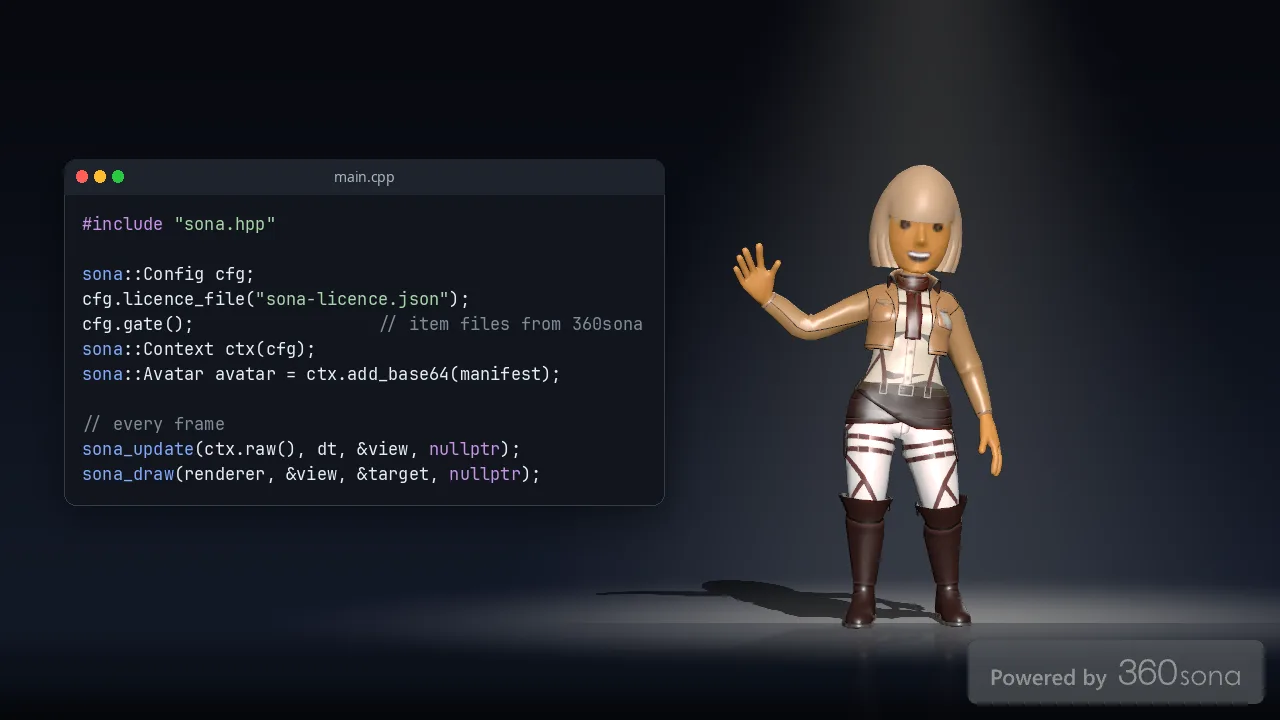
To render Xbox 360 avatars in C or C++, link sona, the C library in the SDK download, open a context with your
licence, add an avatar from its manifest and draw it. The library draws into your own target on your own device, or
on a headless device of its own.
Steps
- Download the SDK for your platform:
sona.h, the library and yoursona-licence.json. - Open a context with
sona_open, giving it the licence and where avatar files come from. - Add an avatar from its manifest with
sona_avatar_add_base64. - Each frame, call
sona_update, thensona_drawinto your target.
The heart of the program
This is from the C tutorial's program, which adds one avatar and saves a picture of it waving.
/* A context: the licence and where the avatar files come from. */
sona_config_defaults(&cfg);
/* NULL: the app id your download is made for */
cfg.app_id = getenv("SONA_APP_ID");
cfg.licence = licence;
cfg.licence_len = licence_len;
/* the gate: item files from 360sona */
cfg.sources[0].kind = dir ? SONA_SOURCE_DIR : SONA_SOURCE_GATE;
cfg.sources[0].location = dir;
cfg.source_count = 1;
r = sona_open(&cfg, &ctx);
free(licence);
if (r != SONA_OK) return fail("sona_open", NULL, r);

/* An avatar from its manifest. It loads over the next updates. */
r = sona_avatar_add_base64(ctx, argv[2], NULL, &avatar);
if (r != SONA_OK) return fail("sona_avatar_add_base64", ctx, r);
In a game you call sona_update once a frame and sona_draw into your target with the library's Vulkan,
Direct3D 11, Direct3D 12, OpenGL, Metal or Xenos backend, or you read the posed meshes with sona_pose and draw
them with your own renderer.
More
- The C tutorial and the C++ tutorial (
sona.hpp, a header-only wrapper). - The C reference: every function, with its errors and rules.
- Credit: the library draws a small "Powered by 360sona" badge in a corner unless you turn it off and credit 360sona elsewhere.
- 360sona is not affiliated with or endorsed by Microsoft.
This page as Markdown · All the docs as one file (llms-full.txt)