Xbox 360 avatars in Unreal Engine
In Unreal Engine 5, enable the Sona360 plugin and add a USonaAvatarComponent (or the Load 360sona Avatar
Blueprint node) to an actor. Unreal draws the avatar with its own renderer, and a Control Rig plants its feet.
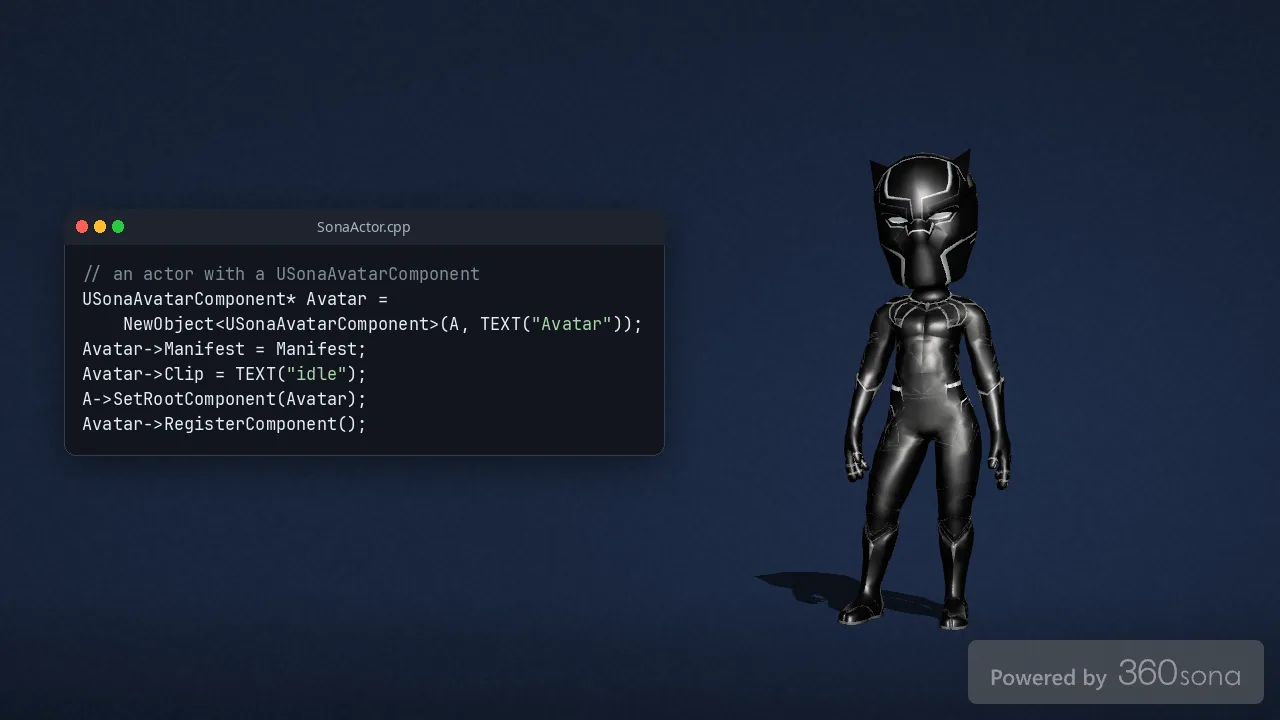
Steps to get avatars into Unreal Engine 5
- Get an app id and download the SDK (the web API docs). Copy the
Sona360plugin folder into your project'sPluginsand putsona-licence.jsonatContent/.Sona360/ sona-licence. json - Enable the plugin and restart the editor.
- Add the component to an actor in C++, or use the Load 360sona Avatar node in a Blueprint:
USonaAvatarComponent* Avatar = NewObject<USonaAvatarComponent>(A,
    TEXT("Avatar"));
Avatar->Manifest = Manifest;
Avatar->Clip = TEXT("idle");
A->SetRootComponent(Avatar);
A->AddInstanceComponent(Avatar);
Avatar->SetWorldTransform(T);
Avatar->RegisterComponent();
That is from the starter project, which spawns an actor per avatar. Unreal draws the avatar with its own renderer through the plugin's M_SonaAvatar material. Every call is also a
Blueprint node.
More
- The Unreal tutorial and the Unreal guide: Control Rig IK, the drop-in player editor and the starter project.
- Needs Unreal Engine 5.8 or later, on Win64, Linux, Mac, Android and iOS; built and run against 5.8 on Linux.
- Credit: the plugin shows the "Powered by 360sona" badge in a corner of the game viewport.
- 360sona is not affiliated with or endorsed by Microsoft.
This page as Markdown · All the docs as one file (llms-full.txt)