Art styles
A style changes how an avatar is shaded without changing the avatar. There are four beyond the original look, as an optional shader set: toon, flat, silhouette and promo, each with or without an outline.
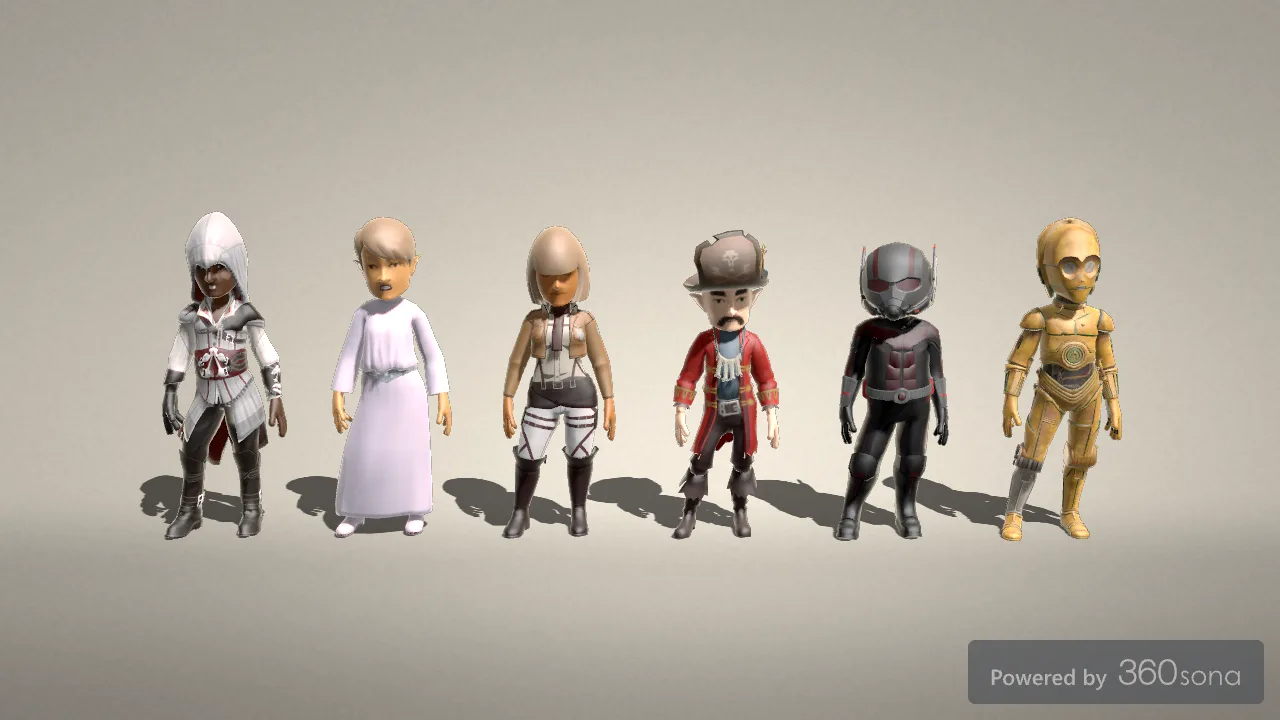
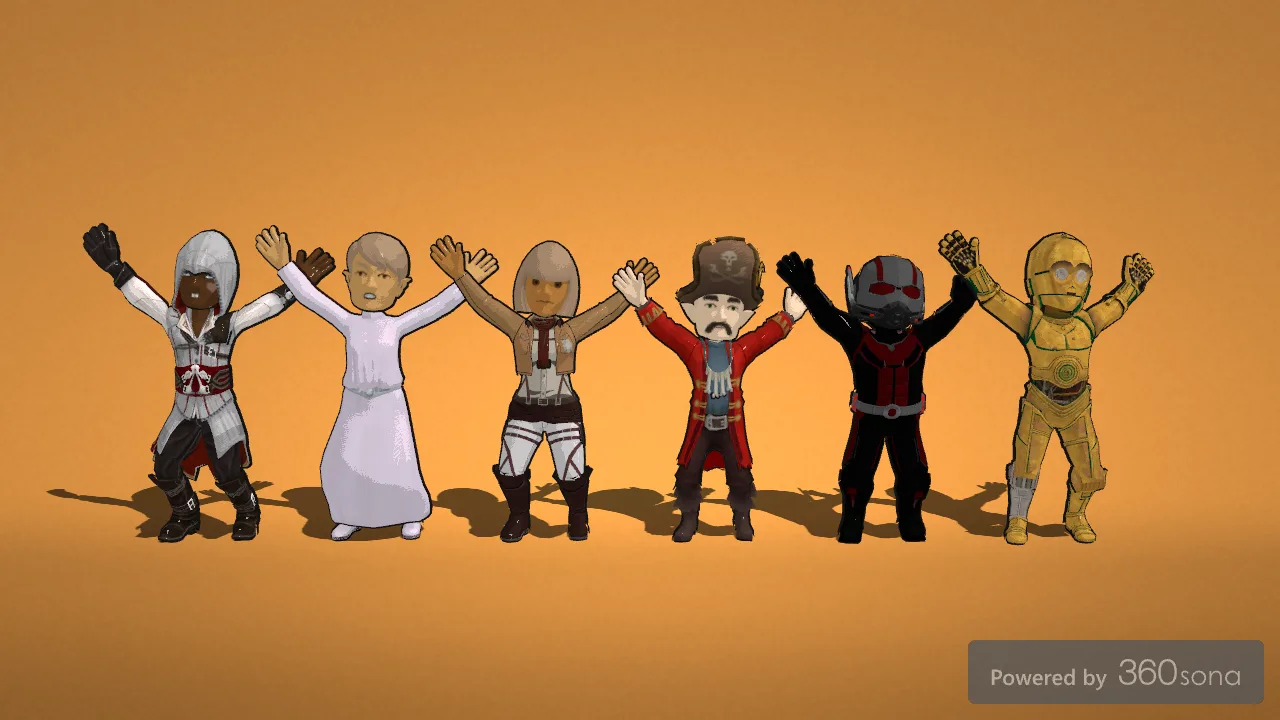
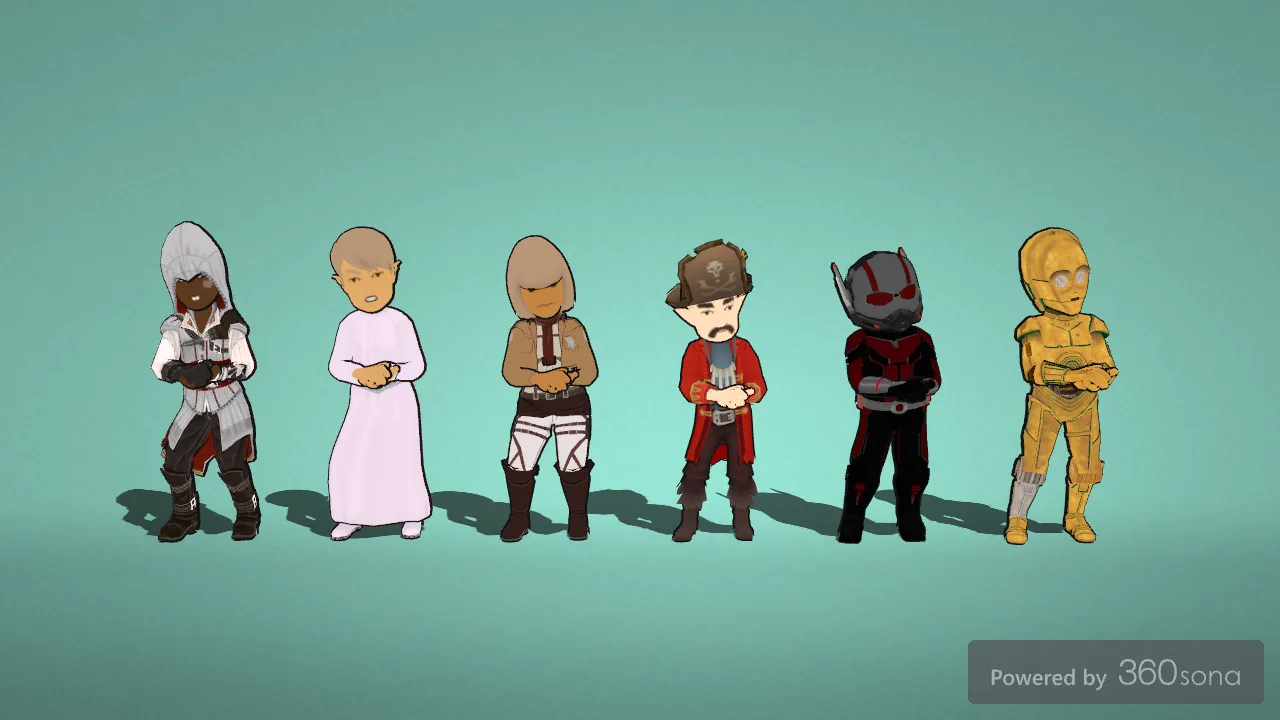
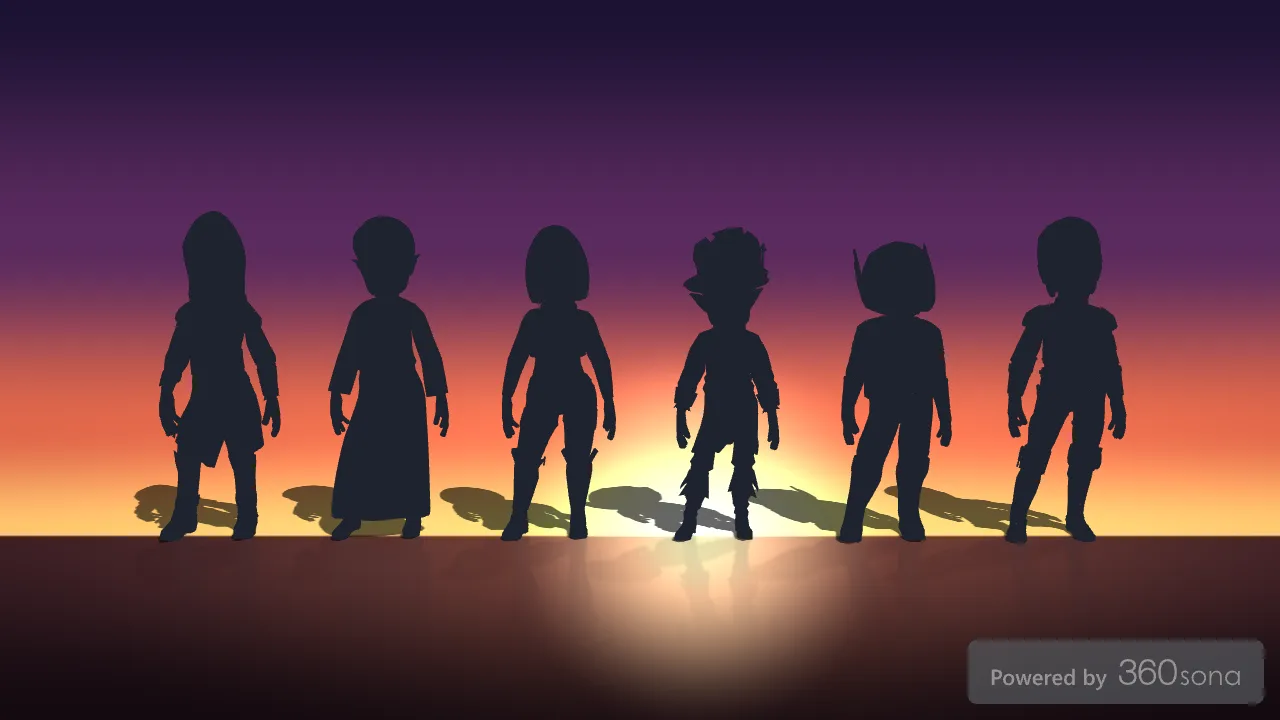
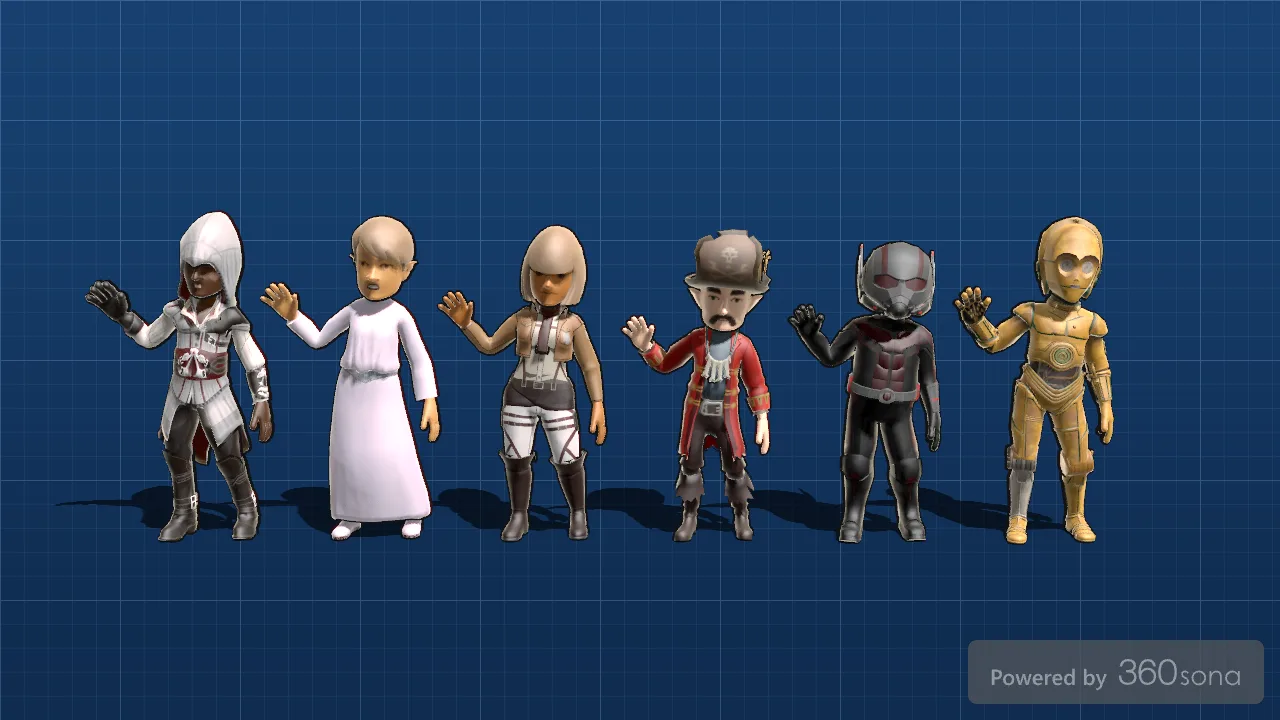
- Toon. Cel bands of the key light: the light the original's shadow map comes from, in 2 to 8 hard steps
from a darkest band (
shade) up to the full colour, halved inside the shadow whenSONA_DRAW_SHADOWis on, plus a hard highlight spot (highlight). - Flat. The colours alone, unlit: the item's colour texture, its tint and decal and the baked vertex occlusion, as the original shader puts them together, and nothing on top.
- Silhouette. One colour for the whole figure, for UI, minimaps and fog of war.
- Promo. Studio light in the manner of professional promotional stills: a large soft key just above the camera,
a gentle fill from the right, a thin back light on the edges, soft occlusion in the creases (the occlusion pass the
original look already runs), a warm roll-off on skin and a clean two-layer gloss.
shadesets the fill,highlightthe gloss. The lights sit in camera space, so the avatar is lit the same from any angle, as a studio shot is. For stills, render larger and scale down (the gallery sample's pictures are drawn at twice their size).
Each of them, and the original look too, can carry an outline: an inverted hull, each vertex pushed out along
its normal by outline_px pixels of the picture and drawn with its front faces culled, so a line shows round the
figure and where one part passes in front of another. The hull sits 2 cm further from the eye than the surface, so
raised details (seams, buckles, badges) draw no line on the part under them.
A style is set per avatar (sona_avatar_set_style) or per view: sona_renderer_set_style styles every
avatar the renderer draws that has no style of its own, and with SONA_STYLE_OVERRIDE every avatar, its own style
or not (the original look with OVERRIDE turns every avatar's style off in that renderer). Set it before each
sona_draw to draw one view styled and another not: the minimap in silhouettes, the main view in toon.
With no style set anywhere every picture is the original, byte for byte: the frame the backend gets is not touched
(the styles test holds every draw and every cb block to the unstyled frame, and styles_vk and styles_gl hold
the picture to the original's after a style is set and cleared). Sheets, stickers, item previews and headless
pictures draw through sona_snapshot and take the styles too.
The gallery sample (below) draws three avatars in every style side by side. Its pictures hold the avatars' own art, so they stay out of the repo.
Backends
| Backend | Styles |
|---|---|
| Vulkan | Drawn, per-draw sets and the bindless and multi-draw path (SONA_VK_FEATURE_*); the bindless pictures equal the per-draw ones byte for byte |
| GL 3.3, GLES 3.0 | Drawn |
| D3D11, D3D12 | Drawn: HLSL from the same source, compiled when the renderer starts |
| Xenos | Drawn (the outline hull, flat, toon and promo programs) on a software model of the GPU (platforms) |
| Metal | Built: the MSL of the style programs is compiled at the first styled frame, and a failure turns styles off (platforms) |
Crowd sprites (sona_lod_set with sprite_px) are baked in the avatar's style on the renderer that draws them, with
its outline, and a sheet's key holds the style: a new style, on the avatar or the renderer, bakes the look again.
Types
sona_style
typedef enum sona_style_kind { SONA_STYLE_ORIGINAL = 0, SONA_STYLE_TOON = 1,
    SONA_STYLE_FLAT = 2,
                               SONA_STYLE_SILHOUETTE = 3,
                               /* studio light: a soft key, a white-room
                                  fill, occlusion, warm skin */
                               SONA_STYLE_PROMO = 4
                             } sona_style_kind;
enum {
  /* an outline round the figure, in any kind */
  SONA_STYLE_OUTLINE = 1u << 0,
  /* a renderer's style only: also over avatars that have their own */
  SONA_STYLE_OVERRIDE = 1u << 1
};
typedef struct sona_style {
  /* sizeof(sona_style); sona_style_defaults sets it */
  uint32_t size;
  uint32_t kind;          /* sona_style_kind */
  uint32_t flags;         /* SONA_STYLE_* */
  uint32_t bands;         /* toon: 2..8. Default 3 */
  /* toon: the darkest band's light, 0..1. Default 0.55 */
  float shade;
  /* toon: the highlight's strength, 0..1. Default 0.35 */
  float highlight;
  float outline_px;       /* 0.25..32 pixels. Default 2 */
  uint32_t outline;       /* 0xAARRGGBB. Default 0xff141414 */
  uint32_t colour;        /* silhouette, 0xAARRGGBB. Default 0xff1e2430 */
  uint32_t reserved[3];   /* zero */
} sona_style;
48 bytes on every ABI, no pointers. Colours are sRGB and land exactly (within one level) in the picture with
SONA_DRAW_NO_BLOOM; the alpha byte is ignored, the figure and its outline are opaque (a transparent part keeps its
own transparency in every style). Every parameter is checked on every set, whatever the kind: bands 2 to 8,
shade and highlight 0 to 1, outline_px 0.25 to 32, reserved zero, size at least sizeof(sona_style).
Functions
void sona_style_defaults(sona_style *s);
sona_result sona_avatar_set_style(sona_avatar *a, const sona_style *s);
sona_result sona_avatar_style(const sona_avatar *a, sona_style *out);
sona_result sona_renderer_set_style(sona_renderer *r, const sona_style *s);
sona_result sona_renderer_style(const sona_renderer *r, sona_style *out);
sona_style_defaults: the original look, no flags, the defaults above. Setkindandflagsafter.sona_avatar_set_style: the avatar's own style from the next frame. NULL, or the original look without an outline, clears it.SONA_E_ARGUMENTfor a bad parameter orSONA_STYLE_OVERRIDE(a renderer's flag); nothing changes then. An item preview takes a style like any avatar.sona_avatar_style: the avatar's own style, or the defaults when it has none.sona_renderer_set_style: the style of every avatar the renderer draws without one of its own (withOVERRIDE, of every avatar). NULL, or the original look with no flags, clears it.SONA_E_UNSUPPORTEDon a backend without styles (unless clearing),SONA_E_ARGUMENTas above. While the device is lost (beforesona_renderer_reset) a Vulkan or GL renderer keeps the style it is given.sona_renderer_style: the renderer's style, the defaults when none;SONA_E_UNSUPPORTED, with the defaults, when its backend draws no styles. Use it to ask a renderer whether it draws styles.
Bloom: the original's bloom pass lifts the red channel of everything around a bright pixel, so a style on a bright
background picks up a red rim. Draw styled frames with SONA_DRAW_NO_BLOOM for clean colours, as the sample does.
Example
sona_style s;
sona_style_defaults(&s);
s.kind = SONA_STYLE_TOON;
s.flags = SONA_STYLE_OUTLINE;
s.bands = 2;
s.outline_px = 3;
/* the hero cel-shaded and outlined */
sona_avatar_set_style(hero, &s);

sona_style_defaults(&s);
s.kind = SONA_STYLE_SILHOUETTE;
s.colour = 0xff202830;
s.flags = SONA_STYLE_OVERRIDE;
/* everyone a shape on the minimap, the hero too */
sona_renderer_set_style(minimap, &s);
sona_style s;
sona_style_defaults(&s);
s.kind = SONA_STYLE_TOON;
s.flags = SONA_STYLE_OUTLINE;
s.bands = 2;
s.outline_px = 3;
// the hero cel-shaded and outlined
sona_avatar_set_style(hero.raw(), &s);

sona_style_defaults(&s);
s.kind = SONA_STYLE_SILHOUETTE;
s.colour = 0xff202830;
s.flags = SONA_STYLE_OVERRIDE;
// everyone a shape on the minimap, the hero too
sona_renderer_set_style(minimap.raw(), &s);
var s = SonaAvatar.StyleDefaults();
s.kind = Native.SONA_STYLE_TOON;
s.flags = Native.SONA_STYLE_OUTLINE;
s.bands = 2;
s.outline_px = 3;
// the hero cel-shaded and outlined
hero.SetStyle(s);

s = SonaAvatar.StyleDefaults();
s.kind = Native.SONA_STYLE_SILHOUETTE;
s.colour = 0xff202830;
s.flags = Native.SONA_STYLE_OVERRIDE;
// everyone a shape on the minimap, the hero too
minimap.SetStyle(s);
let mut s = style_defaults();
s.kind = sona_sys::SONA_STYLE_TOON;
s.flags = sona_sys::SONA_STYLE_OUTLINE;
s.bands = 2;
s.outline_px = 3.0;
// the hero cel-shaded and outlined
hero.set_style(Some(&s))?;

let mut s = style_defaults();
s.kind = sona_sys::SONA_STYLE_SILHOUETTE;
s.colour = 0xff202830;
s.flags = sona_sys::SONA_STYLE_OVERRIDE;
// everyone a shape on the minimap, the hero too
minimap.set_style(Some(&s))?;
# the hero cel-shaded and outlined
hero.set_style("toon", outline=True, bands=2, outline_px=3)

# everyone a shape on the minimap, the hero too
minimap.set_style("silhouette", override=True, colour=0xff202830)
How it is drawn
sona_style_frame (style.c) runs after the frame is built, before the backend sees it. It walks the frame's
avatars in their cb block order and finds each block's style. With none it returns at once. Otherwise:
- cb row 7 of each styled block (unused by the original shaders,
(0, 0, 0, 1)otherwise) holds the outline width in clip units on x and y, the outline colour (0xRRGGBB as a whole number) and the kind's word: for toonbands * 65536 + shade * 256 + highlight(8 bits each), for silhouette its colour; - a styled avatar's draws move from the cloth, skin, reflective and reflective-skin programs to the style programs
(
sona_style.h: toon and flat each with a reflective twin, which leaves out the decal step as the original's reflective shader does; silhouette; outline); - for an avatar with an outline, a copy of each of its opaque draws goes after the transparent draws
(
sona_gpu_frame.outline_count). The backend draws them in the main pass after the opaque draws and before the transparent ones, with the opaque state and the main pass's cull flipped. They cast no shadow and are not in the editor AO's G-buffer.
The style programs bind exactly what the avatar programs bind (the same units, blocks and samplers), so a draw's descriptor set, and on the bindless path its row of the draw table, is the same. The shaders are new files; the web shaders and the backends' existing programs are unchanged.
Cost
Measured with the bench on an RTX 4090 machine, 1,000 different avatars (each its own random outfit and body from
the full corpus and catalogue), 1920 x 1080, Vulkan with the bindless and multi-draw path, --style setting the
renderer's style. Each row is the median of three runs:
sona-bench --scene crowd --backend vk --source dir:"<asset folder>"
    --samples devs-cast.json \
  --outfits random --catalogue sona-catalogue.bin --assets-mb 30000
      --seconds 4 --counts 1000 [--style toon]
| Style | ms a frame | CPU ms a frame | GPU ms a frame | Draws a frame |
|---|---|---|---|---|
| No style | 16.15 | 3.48 | 16.13 | 9,470 |
| Toon | 16.15 | 3.37 | 16.14 | 9,470 |
| Flat | 16.1 | 2.91 | 16.08 | 9,470 |
| Silhouette | 13.53 | 3.41 | 13.52 | 9,470 |
| Original with an outline | 29.23 | 4.96 | 29.21 | 18,774 |
| Toon with an outline | 29.23 | 4.78 | 29.21 | 18,774 |
| Flat with an outline | 29.15 | 5.15 | 29.13 | 18,774 |
| Silhouette with an outline | 26.59 | 4.47 | 26.58 | 18,774 |
On this machine the GPU time is the whole frame, so the rows compare the styles' GPU work. Read them against each other, not as a promise for your machine.
The styles themselves cost nothing beyond the original: toon, flat and silhouette do less per pixel (no irradiance cube, no rim, no specular; silhouette reads only the colour texture's alpha, for cut-outs). The outline is the cost: every opaque mesh is skinned and drawn a second time, which the Draws column shows, and the GPU reads every vertex again. The CPU side is one walk over the frame's avatars and, with outlines, a copy of the draw list.
With a lighting or a loading placeholder
style.c runs before lighting.c on every frame. Under a lighting a styled avatar keeps
its style programs and its outlines; the rest of the frame is lit. The style programs read the lit frame's shadow map
and its lookup rows (cb rows 4 to 6, which the lighting refits), on GL and on both Vulkan paths. The frame's draws are
the opaque, the transparent, the outlines, then the lighting's proxy casters, which only the shadow pass draws
(sona_gpu.h). A loading placeholder's figure keeps the original look beside styled
avatars.
Limits
- The outline is an inverted hull: where a mesh is open or its normals split at a hard edge, the hull can leave a short gap in the line.
- The width is in pixels whatever the distance, so a far crowd with outlines reads darker than a near one.
- A sprite's outline is as wide in the baked picture (
sprite_heightpixels tall) asoutline_pxasks, so it is thinner or thicker on screen as the sprite is smaller or larger than its bake.
This page as Markdown · All the docs as one file (llms-full.txt)