three.js, Babylon.js and React
Three npm packages put avatars into a three.js scene, a Babylon.js scene or a React app. Each has its types, a README
and a sample page; each works with the web SDK download, sona-renderer.js, which carries your app id.
| Package | What it gives you |
|---|---|
@360sona/three |
SonaAvatar, a THREE.Group with skinned meshes and an AnimationMixer; play(key), stop(), update(dt); credit() |
@360sona/babylon |
SonaAvatar, a TransformNode with one AnimationGroup per clip; play(key), stop(); credit() |
@360sona/react |
<SonaCanvas> (one SDK scene), <SonaAvatar> (an avatar in it), <SonaAvatarEditor> (the editor element), useSonaScene() |
three.js and Babylon.js draw the avatar with their own renderer, so it shares their depth, shadows and post-processing. React wraps the SDK's own renderer.
Install
npm install @360sona/three three                 # three.js 0.150 or later
npm install @360sona/babylon @babylonjs/core
npm install @360sona/react                       # React 17, 18 or 19
Then put the web SDK download beside your code: sona-renderer.js from the zip (getting it).
The SDK is not on npm, because each download carries its app id: import it by its path
(import { SonaRenderer } from './sona-renderer.js'), or, as the samples below do, name it sona-renderer in the
page's import map. Your app id must list the origin the page is served from.
three.js
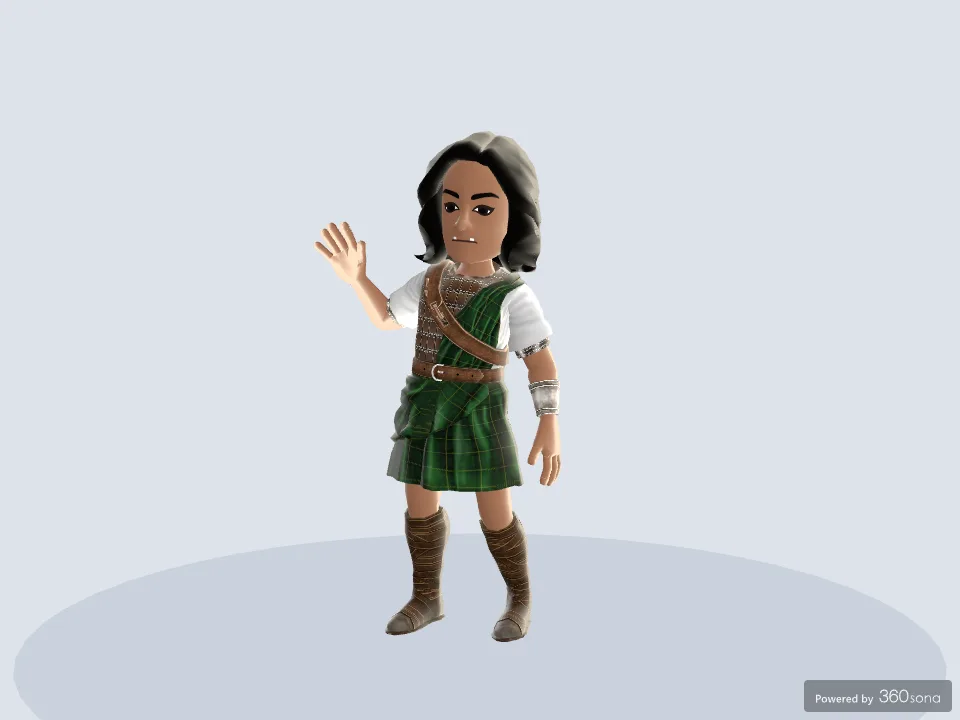
The package's sample page, whole: it connects, takes the first sample avatar, loads it with two clips and draws it in a three.js scene; the button waves.
import * as THREE from 'three';
import { SonaRenderer } from 'sona-renderer';
import { SonaAvatar, credit } from '@360sona/three';

// ?app=your-app-id&host=... ; the app id must list this page's origin.
const q = new URLSearchParams(location.search);
const sona = await SonaRenderer.connect({ appId: q.get('app') ||
    'your-app-id', host: q.get('host') || undefined });
const [first] = await sona.samples();

const canvas = document.getElementById('view');
const renderer = new THREE.WebGLRenderer({ canvas, antialias: true });
renderer.outputColorSpace = THREE.SRGBColorSpace;
const scene = new THREE.Scene();
scene.background = new THREE.Color(0xdde3ea);
const camera = new THREE.PerspectiveCamera(30, canvas.width / canvas.height,
    0.1, 100);
camera.position.set(0, 1.0, 4.2);
camera.lookAt(0, 0.85, 0);

const avatar = await SonaAvatar.load(sona, first.manifest,
    { clips: ['Stand0', 'GenericWave'] });
scene.add(avatar);
avatar.play('Stand0');
credit(sona, renderer);

const button = document.getElementById('wave');
button.disabled = false;
button.onclick = () => avatar.play('GenericWave',
    { loop: false }).then(() => avatar.play('Stand0'));

const clock = new THREE.Clock();
renderer.setAnimationLoop(() => {
  avatar.update(clock.getDelta());
  renderer.render(scene, camera);
});
first.manifest is a sample avatar; in a game it is the player's own (from sign-in, a gamertag or your save).
SonaAvatar. loads only the clips named (all of them when clips is
left out); play(key, { loop, fade, speed }) crossfades over fade seconds (0.25 by default) and resolves when a
clip that does not loop ends; call update(dt) every frame.
Babylon.js
The Babylon sample, whole. BABYLON is the Babylon namespace: the global here, or
import * as BABYLON from '@babylonjs/core' in a bundled app.
import { SonaRenderer } from 'sona-renderer';
import { SonaAvatar, credit } from '@360sona/babylon';

// ?app=your-app-id&host=... ; the app id must list this page's origin.
const q = new URLSearchParams(location.search);
const sona = await SonaRenderer.connect({ appId: q.get('app') ||
    'your-app-id', host: q.get('host') || undefined });
const [first] = await sona.samples();

const canvas = document.getElementById('view');
const engine = new BABYLON.Engine(canvas, true);
const scene = new BABYLON.Scene(engine);
scene.clearColor = new BABYLON.Color4(0.87, 0.89, 0.92, 1);
const camera = new BABYLON.ArcRotateCamera('camera', Math.PI / 2,
    Math.PI / 2.1, 4.2, new BABYLON.Vector3(0, 0.85, 0), scene);
camera.fov = 30 * Math.PI / 180;
camera.attachControl(canvas, true);

const avatar = await SonaAvatar.load(BABYLON, scene, sona, first.manifest,
    { clips: ['Stand0', 'GenericWave'] });
avatar.play('Stand0');
credit(sona, engine);

const button = document.getElementById('wave');
button.disabled = false;
button.onclick = () => avatar.play('GenericWave',
    { loop: false }).then(() => avatar.play('Stand0'));

engine.runRenderLoop(() => scene.render());
Babylon's animation groups play themselves; there is no update(dt).
React
<SonaCanvas> makes one SDK scene in a canvas; each <SonaAvatar> inside it is an avatar in that scene, added when
it mounts and removed when it unmounts. <SonaAvatarEditor> opens the avatar editor over the page and hands back the
new manifest. There is no JSX inside the package, so it needs no build step of its own; your app may use JSX:
import { useState } from 'react';
import { SonaRenderer } from './sona-renderer.js';
import { SonaCanvas, SonaAvatar, SonaAvatarEditor } from '@360sona/react';

// a player's avatar (a base64 manifest), or (await connection.samples())[0].manifest
export function Player({ manifest: first }) {
  const [manifest, setManifest] = useState(first);
  const [editing, setEditing] = useState(false);
  return (
    <>
      <SonaCanvas sdk={SonaRenderer} appId="your-app" style={{ width: 320, height: 480 }}>
        <SonaAvatar manifest={manifest} clip="idle" camera="full" />
      </SonaCanvas>
      <button type="button" onClick={() => setEditing(true)}>Edit avatar</button>
      <SonaAvatarEditor sdk={SonaRenderer} appId="your-app" open={editing} mode="quick"
        onDone={(m) => { setManifest(m); setEditing(false); }} onCancel={() => setEditing(false)} />
    </>
  );
}
| Component | Props |
|---|---|
SonaCanvas |
sdk (the SonaRenderer you imported), appId, host, options (anything SonaRenderer.create takes but the canvas), onReady(scene), onError(e), style, className |
SonaAvatar |
manifest, clip ('idle', 'still' or a clip key), position, turn, scale, camera (a preset to frame it once ready: full, upper, bust, face), onReady(avatar) |
SonaAvatarEditor |
sdk, open, mode (full, quick, wardrobe), manifest, appId, host, sceneOptions, onDone(manifest), onCancel(), onChange(detail), style, className |
useSonaScene() |
The SDK scene of the nearest SonaCanvas (the same object SonaRenderer.create returns), or null until it is ready |
Run a sample
Each package has its sample in sample/index.html. Install the package with its engine, put the web download's
sona-renderer.js at the project's root (beside node_modules), and serve the project's folder:
npm install @360sona/three three
cp web-sdk/sona-renderer.js .
python3 -m http.server 8080
Open http:/. Your app must list
http://localhost among its origins (getting the SDK). For Babylon.js install
@360sona/babylon babylonjs babylonjs-loaders; for React, @360sona/react react@18 react-dom@18 (the sample loads
React's UMD build).
The sample's import map finds the SDK at the project's root and the engine in node_modules:
<script type="importmap">
{ "imports": {
  "three": "../../../three/build/three.module.js",
  "three/addons/": "../../../three/examples/jsm/",
  "@360sona/three": "../index.js",
  "sona-renderer": "../../../../sona-renderer.js"
} }
</script>
In your own page, point sona-renderer at wherever you serve sona-renderer.js.
The credit
The SDK licence asks for "Powered by 360sona" wherever avatars appear.
| Where | Call | What it does |
|---|---|---|
| three.js | credit(connection, renderer, corner?) |
The badge on the WebGLRenderer's canvas (or a canvas you pass) |
| Babylon.js | credit(connection, engine, corner?) |
The badge on the engine's rendering canvas |
| React | none | <SonaCanvas> is the SDK's own renderer, which shows the badge itself |
corner is 'bottom-right' (the default), 'bottom-left', 'top-right' or 'top-left'. Both calls go to the
connection's own connection., which you can call on any canvas you draw avatars into. Each
returns { dispose() } to take the badge off. If you leave the badge off, put the line in your credits or about page.
How the avatar reaches three.js and Babylon.js
SonaRenderer.connect({ appId, host }) is a connection with no canvas. It gives { glb, clips, samples, wardrobe,
colours, credit, release }. glb(manifest, { clips, textures }) builds the avatar as a glb with the clips asked for
and the SDK's own light baked into unlit materials (KHR_materials_unlit), so it looks the way the SDK draws it in
any renderer; the packages' SonaAvatar.load calls it and loads the glb with the engine's own loader. scene.glb()
on a scene of the SDK is the same exporter. clips() lists every clip key with its length; release() closes the
connection. The web SDK reference lists every declaration of the three packages.
This page as Markdown · All the docs as one file (llms-full.txt)