Xbox 360 avatars in Godot
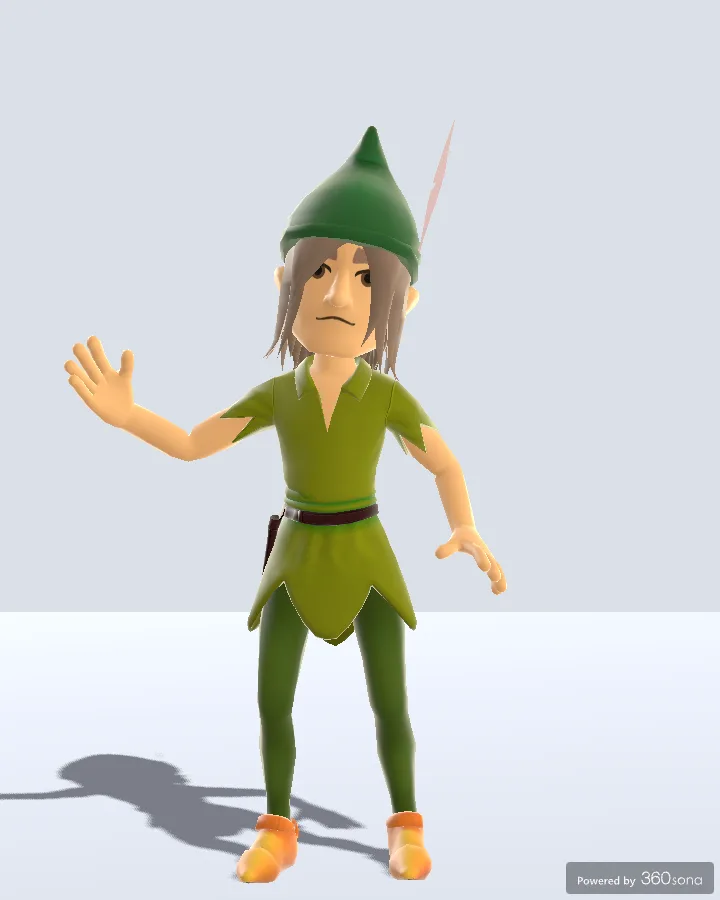
In Godot 4, copy the 360sona addon into your project and add a SonaAvatar3D node with the avatar's manifest. Godot
draws it with its own renderer, animated, with the clips of the Xbox 360 avatars.
Steps
- Get an app id and download the SDK for Godot (the web API docs).
- Copy
addons/sonainto your project and putsona-licence.jsonatres://sona-licence.json. - Add a
SonaAvatar3D, in the editor or from GDScript:
func _ready() -> void:
    var avatar = ClassDB.instantiate("SonaAvatar3D")
    var text = FileAccess.get_file_as_string("res://hello/manifest.txt")
    avatar.manifest = text.strip_edges()
    avatar.clip = "GenericWave"
    add_child(avatar)
    avatar.avatar_ready.connect(func(): avatar.frame_camera($Camera3D))
manifest is the avatar as base64 (from 360sona.com's share box or a gamertag lookup); clip is a clip key, a clip
id, "idle" or "still". The scene has a Camera3D, which frame_camera points at the whole figure once the
avatar is ready. Godot draws it:
More
- The Godot tutorial walks through walking, waving, something in the hand and the drop-in player editor.
- Godot 4.7 or later (GDExtension); the extension skins the avatar on the GPU.
- Credit: the addon shows a small "Powered by 360sona" badge; turn it off only if you put the line in your credits.
- 360sona is not affiliated with or endorsed by Microsoft.
This page as Markdown · All the docs as one file (llms-full.txt)