Getting started
One avatar in a window of your own: a context, an avatar, a renderer on your device, and two calls a frame. Every
step is shown in C, C++, C#, Rust, Python, JavaScript, Unity, Godot and Unreal: pick yours in the step's tabs. In an
engine the plugin makes the renderer and draws each frame, so its tabs say what is left to you. You need a download
(installing) and a manifest: the avatar as base64, from 360sona.com's share box or
GET /sona/v1/avatar/random.
1. Open a context
The context holds the licence, where avatar files come from, and every avatar. A game has one.
sona_config cfg;
sona_ctx *ctx = NULL;
sona_config_defaults(&cfg);
/* the bytes of sona-licence.json */
cfg.licence = licence;
cfg.licence_len = licence_len;
/* stream item files from 360sona */
cfg.sources[0].kind = SONA_SOURCE_GATE;
cfg.source_count = 1;
if (sona_open(&cfg, &ctx) != SONA_OK) {
  sona_error_info e = sona_last_error(NULL);
  fprintf(stderr, "%s\n%s\n", e.message, e.fix);
}
SONA_SOURCE_DIR with location set reads a folder you own in place of the gate. Every call returns a
sona_result; sona_last_error gives the message and a fix.
sona::Config cfg;
if (!cfg.licence_file(argv[1])) { std::fprintf(stderr, "cannot read %s\n",
    argv[1]); return 1; }
// unset: the app id your download is made for
if (const char *app = std::getenv("SONA_APP_ID")) cfg.app_id(app);
// the gate: item files from 360sona
if (dir) cfg.dir(dir); else cfg.gate();
sona::Context ctx(cfg);
var options = new SonaOptions
{
    Licence = File.ReadAllBytes(args[0]),
    AppId = Environment.GetEnvironmentVariable("SONA_APP_ID"),
};
// the gate: item files from 360sona
options.Sources.Add(dir != null ? SonaSourceSpec.Dir(dir) :
    SonaSourceSpec.Gate());
using var ctx = new SonaContext(options);
let licence = std::fs::read(&args[0])
    .map_err(|e| format!("cannot read {}: {}", args[0], e))?;
let mut cfg = sona::Config::new().licence(licence);
if let Ok(app) = std::env::var("SONA_APP_ID") {
    cfg = cfg.app_id(&app); // unset: the app id your download is made for
}
cfg = match &dir {
    Some(d) => cfg.dir(d),
    None => cfg.gate(None),
};
let ctx = sona::Context::open(cfg).map_err(|e| e.to_string())?;
with sona.Context(app_id=os.environ.get("SONA_APP_ID"), licence=licence,
                  sources=[source]) as ctx:
    avatar = ctx.add_base64(manifest)
The Renderer SDK opens the context and the renderer together, on your canvas:
import { SonaRenderer } from './sona-renderer.js';

const canvas = document.querySelector('canvas');
const sona = await SonaRenderer.create({ canvas });
create() rejects with a SonaError whose code says what and fix what to do.
Put a SonaContext component on one GameObject of the scene and set its licence to your sona-licence.json. It
opens the context when the scene starts; leave useGate on to stream avatar files from 360sona.
Copy addons/sona into the project and put sona-licence.json at res://sona-licence.json. SonaServer opens the
context when the first avatar enters the tree.
Copy the Sona360 plugin into the project's Plugins folder and put sona-licence.json at
Content/. The plugin's subsystem opens the context when the game starts.
2. Add an avatar
The avatar loads on worker threads over the next updates and is drawn once it is ready.
sona_avatar *avatar = NULL;
/* b64: the manifest; returns at once */
sona_avatar_add_base64(ctx, b64, NULL, &avatar);
/* remembered until it is ready */
sona_avatar_play(avatar, "GenericWave", NULL);
Its state is SONA_AVATAR_READY when it can be drawn; sona_poll_event tells you when (SONA_EVENT_READY), or turn
on placeholders to show a neutral figure meanwhile.
sona::Avatar avatar = ctx.add_base64(argv[2]);
var avatar = ctx.AddBase64(args[1]);
while (avatar.State != SonaAvatarState.Ready &&
    avatar.State != SonaAvatarState.Failed) ctx.Update(1.0 / 60);
if (avatar.State != SonaAvatarState.Ready) { Console.Error.WriteLine("the avatar did not load"); return 1; }

avatar.Play("GenericWave");
for (var i = 0; i < 60; i++) ctx.Update(1.0 / 60);
let avatar = ctx.add_base64(&args[1],
    &sona::AddOptions::default()).map_err(|e| e.to_string())?;
avatar = ctx.add_base64(manifest)
while not avatar.settled:
    ctx.update(1 / 60)
if not avatar.ready:
    sys.exit("the avatar did not load")

avatar.play("GenericWave")
add() returns at once; ready resolves when the avatar is drawn:
import { SonaRenderer } from './sona-renderer.js';

const canvas = document.querySelector('canvas');
const sona = await SonaRenderer.create({ canvas });
const avatar = sona.add(manifestBase64, { clip: 'GenericWave' });
await avatar.ready;
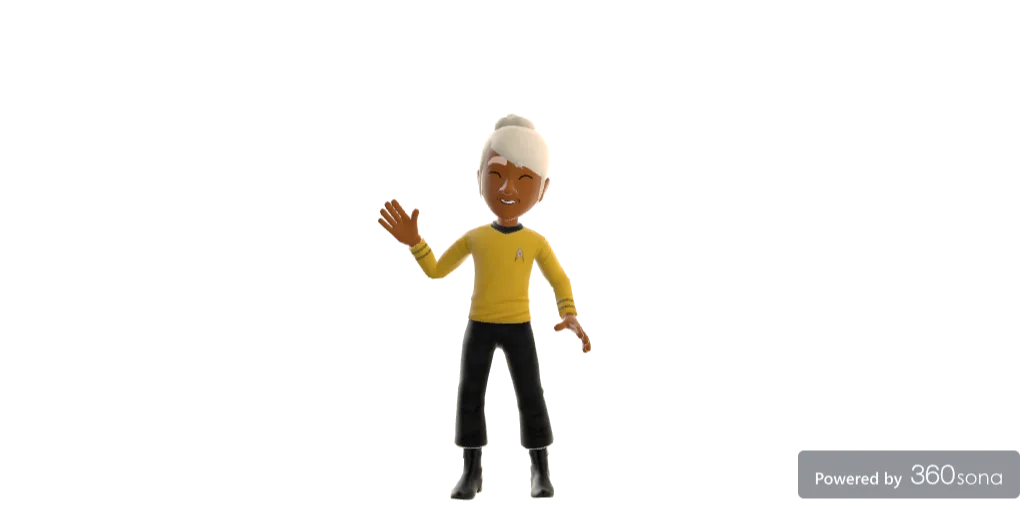
A SonaAvatar component holds the manifest. This script, on any GameObject, adds one waving; manifest is a text
asset holding the avatar as base64 (the package's Components sample):
void Start()
{
    var avatar = new GameObject("Avatar").AddComponent<SonaAvatar>();
    avatar.manifestAsset = manifest;
    avatar.clip = "GenericWave";
}
A SonaAvatar3D node holds the manifest. The root script of the demo's hello scene:
func _ready() -> void:
    var avatar = ClassDB.instantiate("SonaAvatar3D")
    var text = FileAccess.get_file_as_string("res://hello/manifest.txt")
    avatar.manifest = text.strip_edges()
    avatar.clip = "GenericWave"
    add_child(avatar)
    avatar.avatar_ready.connect(func(): avatar.frame_camera($Camera3D))
A USonaAvatarComponent holds the manifest. This actor of the SonaStarter project reads it from
Content/manifest.txt:
AHelloAvatar::AHelloAvatar()
{
    Avatar = CreateDefaultSubobject<USonaAvatarComponent>(TEXT("Avatar"));
    RootComponent = Avatar;
    Avatar->Clip = TEXT("GenericWave");
}

void AHelloAvatar::BeginPlay()
{
    Super::BeginPlay();
    FString Manifest;
    if (FFileHelper::LoadFileToString(Manifest,
        *FPaths::Combine(FPaths::ProjectContentDir(), TEXT("manifest.txt"))))
        Avatar->SetManifest(Manifest.TrimStartAndEnd());
}
3. Make a renderer on your device
The device stays yours. Hand it over in a sona_device_desc; the union member is per backend.
| Backend | backend |
Fill |
|---|---|---|
| OpenGL 3.3, OpenGL ES 3.0 | SONA_BACKEND_GL, SONA_BACKEND_GLES |
u.gl.get_proc, with the context current |
| Vulkan 1.1 | SONA_BACKEND_VULKAN |
u.vk: instance, physical device, device, queue, queue family |
| Direct3D 11 | SONA_BACKEND_D3D11 |
u.d3d11: the device and its context |
| Direct3D 12 | SONA_BACKEND_D3D12 |
u.d3d12: the device and a command queue |
| Metal | SONA_BACKEND_METAL |
u.metal: the MTLDevice |
No window at all? sona_headless_open makes a device of the library's own: headless rendering.
sona_device_desc dev;
sona_renderer *renderer = NULL;
memset(&dev, 0, sizeof dev);
dev.backend = SONA_BACKEND_GL;
/* SDL_GL_GetProcAddress, glfwGetProcAddress, ... */
dev.u.gl.get_proc = my_gl_get_proc;
while (sona_renderer_create(ctx, &dev, &renderer) == SONA_PENDING)
  /* the shading data is still arriving */
  sona_update(ctx, 0, NULL, NULL);
sona_device_desc dev;
std::memset(&dev, 0, sizeof dev);
dev.backend = SONA_BACKEND_GL;
dev.u.gl.get_proc = my_gl_get_proc;
sona::Renderer renderer;
while (sona::Renderer::create(ctx, dev, renderer) == SONA_PENDING)
  // the shading data is still arriving
  ctx.update(0);
var dev = new Native.sona_device_desc { backend = SonaBackend.GL };
// SDL_GL_GetProcAddress, glfwGetProcAddress, ...
dev.u.gl.get_proc = getProc;
SonaRenderer renderer;
while ((renderer = ctx.CreateRenderer(dev)) == null)
    // the shading data is still arriving
    ctx.Update(0);
let mut dev: sys::sona_device_desc = unsafe { std::mem::zeroed() };
dev.backend = sys::SONA_BACKEND_GL;
dev.u.gl.get_proc = Some(get_proc);
// SDL_GL_GetProcAddress, glfwGetProcAddress, ...
let mut frame = ctx.frame()?;
let mut renderer = loop {
    if let Some(r) = unsafe { sona::Renderer::new(ctx, &dev)? } {
        break r;
    }
    frame.update(0.0, None)?; // the shading data is still arriving
};
The Python binding draws on no device of yours. It reads the posed avatar each frame for your own pass (step 4), or draws with a device of the library's own:
with sona.Headless(ctx) as h:
    rgba = h.render(avatar, width=1280, height=720, clip="GenericWave")
The canvas given to create() is the device: the SDK draws with WebGPU where the browser has it and WebGL2 where it
does not (WebGPU and WebGL2). There is nothing more to make.
Unity draws the avatars with its own renderer, as it draws any mesh. There is no renderer to make.
Godot draws SonaAvatar3D nodes with its own renderer, as it draws any mesh. There is no renderer to make.
Unreal draws USonaAvatarComponents with its own renderer, as it draws any mesh. There is no renderer to make.
4. The frame
Each frame, update the context (it moves every avatar on) and draw. view is your camera: set eye, target and
fov_deg yourself, or let the library frame the avatar with sona_camera_preset. target names where the draw lands:
a GL framebuffer, a Vulkan image and command buffer, a D3D render target. The avatars are drawn over a clear of your
choice; to lay them over your own scene, draw into a texture and composite it, or read posed meshes with the
data API and draw them in your own pass (your own renderer).
sona_view view;
sona_target target;
/* a full-body framing of an avatar at the origin */
sona_view_defaults(&view);
view.width = 1280;
view.height = 720;
memset(&target, 0, sizeof target);
target.width = 1280;
target.height = 720;
/* the window; per backend, as the device */
target.u.gl.framebuffer = 0;

while (game_running()) {
  sona_frame_stats stats;
  /* dt: seconds since the last frame */
  sona_update(ctx, dt, &view, &stats);
  /* into your target, the badge in a corner */
  sona_draw(renderer, &view, &target, NULL);
  present_frame();
}
sona_view view;
sona_view_defaults(&view);
view.width = 1280;
view.height = 720;
sona_target target;
std::memset(&target, 0, sizeof target);
target.width = 1280;
target.height = 720;
target.u.gl.framebuffer = 0;                   // the window
while (game_running()) {
  ctx.update(dt, &view);
  renderer.draw(view, target);
  present_frame();
}
var view = SonaView.Defaults();
view.Width = 1280;
view.Height = 720;
var target = new Native.sona_target { width = 1280, height = 720 };
target.u.gl.framebuffer = 0;                 // the window
while (gameRunning())
{
    ctx.Update(dt, view);
    renderer.Draw(view, target);
    presentFrame();
}
let mut view = sona::view_defaults();
view.width = 1280;
view.height = 720;
let mut target: sys::sona_target = unsafe { std::mem::zeroed() };
target.width = 1280;
target.height = 720;
target.u.gl.framebuffer = 0; // the window
while game_running() {
    frame.update(dt, Some(&view))?;
    unsafe { renderer.draw(&view, &target, None)? };
    present_frame();
}
view = sona.view_defaults()
while game_running():
    ctx.update(dt, view)
    pose = avatar.pose()   # this frame's posed meshes, for your own pass
    draw_meshes(pose.meshes)
The SDK draws every frame on its own. To draw from your own loop, create it with loop: 'manual' and call frame():
import { SonaRenderer } from './sona-renderer.js';

const canvas = document.querySelector('canvas');
const sona = await SonaRenderer.create({ canvas, loop: 'manual' });
sona.add(manifestBase64, { clip: 'GenericWave' });
function tick(t) {
  sona.frame(t).then(() => requestAnimationFrame(tick));
}
requestAnimationFrame(tick);
Unity's frame updates the context and draws the avatars. Move the camera as you would for any scene.
Godot's frame updates the context and draws the avatars; frame_camera frames one in a Camera3D.
Unreal's frame updates the context and draws the avatars. Move the camera as you would for any level.
5. Move it, dress it, change it
Place the avatar and change what it plays; the rest of what an avatar does, with its C calls:
| To | Call |
|---|---|
| Place the avatar | sona_avatar_move(avatar, &placement, 0) |
| Play, blend, queue clips | sona_avatar_play, sona_avatar_crossfade, sona_avatar_queue (clips) |
| Change the face | sona_avatar_expression; from audio, lip sync |
| Look at something, plant the feet | IK |
| Change what it wears | Edit the manifest with sona_manifest_wear, add it as a new avatar, and remove the old one when the new one is READY (how) |
| Let the player do all of it | The player editor |
Each binding's name for each call is in the bindings reference.
sona_placement to = { { 1.0f, 0.0f, -2.0f }, 90.0f, 1.0f };
/* over half a second */
sona_avatar_move(avatar, &to, 0.5f);
sona_avatar_crossfade(avatar, "GenericWave", NULL, 0.2f);
sona_placement to = {{1.0f, 0.0f, -2.0f}, 90.0f, 1.0f};
// over half a second; sona.hpp hands over the raw handle
sona_avatar_move(avatar.raw(), &to, 0.5f);
avatar.crossfade("GenericWave", 0.2f);
avatar.Move(new SonaPlacement(1, 0, -2, 90), 0.5f);   // over half a second
avatar.Crossfade("GenericWave", 0.2f);
let to = sona::Placement { position: [1.0, 0.0, -2.0], turn_deg: 90.0,
    scale: 1.0 };
avatar.move_to(&to, 0.5); // over half a second
avatar.crossfade("GenericWave", &sona::PlayOptions::default(), 0.2)?;
avatar.move(position=(1, 0, -2), turn_deg=90, over_seconds=0.5)
avatar.crossfade("GenericWave", 0.2)
avatar.move({ position: [1, 0, -2], turn: 90 }, { over: 0.5 });
avatar.play('GenericWave');
Move the avatar's Transform; Crossfade changes what it plays. From the Components sample:
if (moving != Walking && _waving <= 0
    && player.State == global::Sona.SonaAvatarState.Ready)
{
    Walking = moving;
    player.Crossfade(moving ? Walk : "idle", 0.25f);
}
Move the node; crossfade changes what it plays. From the components demo:
var loaded: bool = player.get_state() == SonaAvatar3D.STATE_READY
if moving != walking and loaded and waving <= 0.0:
    walking = moving
    player.crossfade(WALK if moving else "idle", 0.25, true, 1.0, 0.0)
Move the actor or the component as any other; Avatar->Crossfade
changes what it plays, and the 360sona Control Rig drives its IK (the Unreal tutorial).
6. Shut down
sona_avatar_remove(avatar);       /* frees what only it used */
sona_renderer_destroy(renderer);  /* before your device goes */
sona_close(ctx);
avatar.remove();
renderer.destroy();                            // before your device goes
ctx.close();
avatar.Remove();
renderer.Dispose();                          // before your device goes
ctx.Dispose();
avatar.remove();
drop(renderer); // before your device goes;
the context closes when it is dropped
avatar.remove()
ctx.close()   # or leave the "with sona.Context(...)" block
avatar.remove();
sona.destroy();
Destroying a SonaAvatar's GameObject removes the avatar; the SonaContext closes when it is destroyed.
Freeing the node (queue_free()) removes the avatar.
When the actor ends play, its USonaAvatarComponent removes the avatar.
Next
- The same in your language: C++, C#, Rust, Python, the web; in an engine: Unity, Godot, Unreal.
- A whole program to start from: the plaza starter.
- How the pieces fit: concepts. Every call: the C reference.
This page as Markdown · All the docs as one file (llms-full.txt)