Tutorial: your first avatar in C++
What the C tutorial does, through sona.hpp, the header-only C++ wrapper: one avatar, waving, saved as a
picture. The finished program is code/hello.cpp.
1. What you need
The SDK for your platform (getting it): sona.h, sona.hpp, the library and your
sona-licence.json. A C++11 compiler. A manifest as base64 in manifest.txt (see
the C tutorial).
2. Open a context and add the avatar
sona::Config fills the config; sona::Context opens it and closes it when it goes out of scope. Errors throw
sona::Error (build with SONA_HPP_NO_EXCEPTIONS to get codes instead). gate() streams the item files from
360sona; dir(folder) reads them from a folder of your own.
sona::Config cfg;
if (!cfg.licence_file(argv[1])) { std::fprintf(stderr, "cannot read %s\n",
    argv[1]); return 1; }
// unset: the app id your download is made for
if (const char *app = std::getenv("SONA_APP_ID")) cfg.app_id(app);
// the gate: item files from 360sona
if (dir) cfg.dir(dir); else cfg.gate();
sona::Context ctx(cfg);
sona::Avatar avatar = ctx.add_base64(argv[2]);
3. Draw it with no window
The headless renderer is part of the C API; raw() gives the C handles to any call sona.hpp does not wrap.
sona_headless *h = 0;
if (sona_headless_open(ctx.raw(), 0, &h) != SONA_OK) { std::fprintf(stderr,
    "no device to draw with\n"); return 1; }
sona_render_options ro;
sona_render_defaults(&ro);
ro.width = 480;
ro.height = 600;
ro.clip = "GenericWave";
ro.time = 1.5f;
std::vector<uint8_t> rgba(ro.width * ro.height * 4);
sona_result r = sona_headless_render(h, avatar.raw(), &ro, rgba.data());
4. Build and run
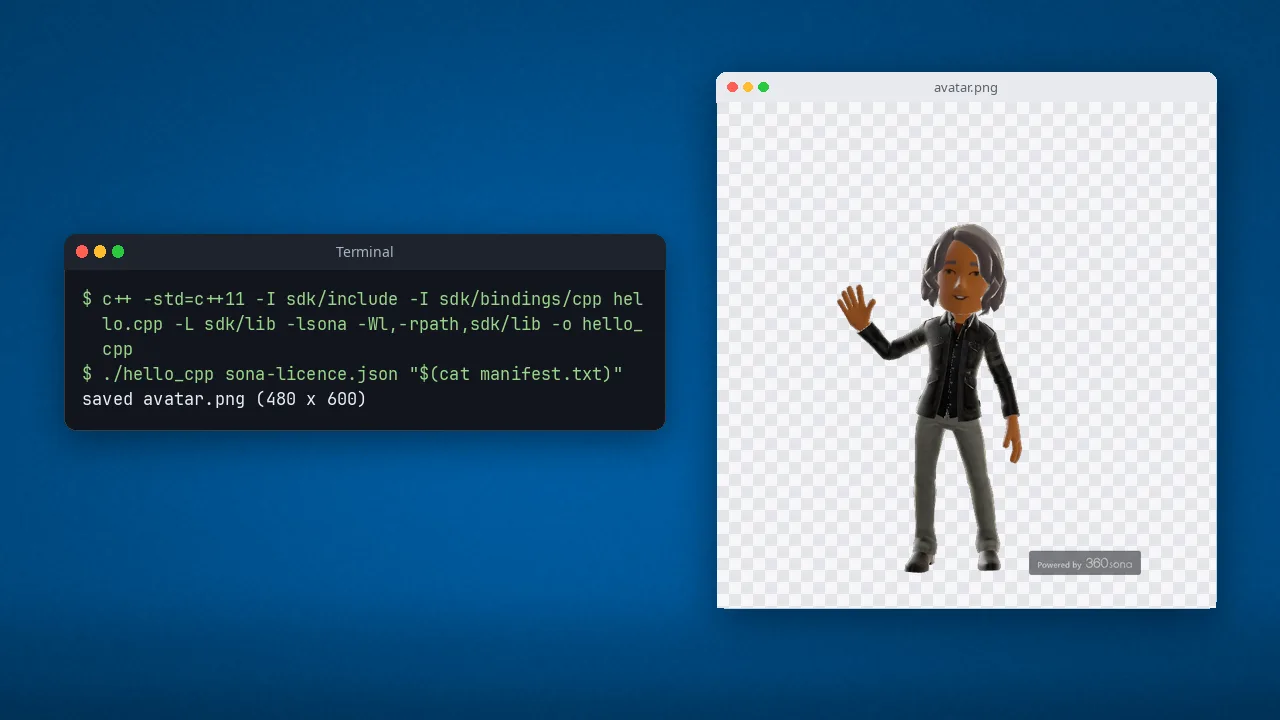
c++ -std=c++11 -I sdk/include -I sdk/bindings/cpp hello.cpp -L sdk/lib \
    -lsona -Wl,-rpath,sdk/lib -o hello_cpp
./hello_cpp sona-licence.json "$(cat manifest.txt)"
It prints saved avatar.png (480 x 600) and writes the picture:
Next
sona::Rendererwraps a renderer on your own device forsona_draweach frame.- The C reference covers every call;
sona.hppkeeps the C names. - Credit: keep the "Powered by 360sona" badge the library draws, or put the line in your credits.
This page as Markdown · All the docs as one file (llms-full.txt)