The avatar editor as a web element: <sona-avatar-editor>
The player-facing editor for any web game or app, on the web SDK's renderer. The page opens it, the player makes or changes an avatar, and the page gets the 1000-byte manifest back.
It is the 360sona.com editor without the site's own parts (My Sonas, the display case, sign-in, settings, collections, banners, sharing and tooltips): the bar, the panel with its pane head and search box, the stage, and three screens.
- Body: the site's Body card. The two base figures (Male, Female), the body triangle (Tall, Light, Heavy; drag the dot, or use the arrow keys when it has the focus), "Height and weight" as two sliders, and the skin swatches. Under the card, the two doors.
- Appearance: the site's face board. A rail of the ten parts, top of the head down (Hair, Brows, Eyes, Eye shadow, Nose, Face paint, Mouth, Facial hair, Chin, Ears), each with what is worn and how many there are; beside it the chosen part's colour swatches and its set. Chin, nose and ears shape the head and take the skin tone, so they have no swatches.
- Wardrobe: a tile per category (Outfits, Tops, Trousers, Shoes, Hats, Glasses, Gloves, Wristwear, Rings, Earrings, Props) with its picture (one of the items that best stands for it, picked once per body, as the site's) and count, under "Search every item". A category lists its items under a Colour row for the worn garment's own colourways.
| Mode | Screens |
|---|---|
full |
Body, Appearance and Wardrobe. With no manifest it starts a new avatar; with one it edits it. startScreen picks the first. |
quick |
Eight generated looks (half of each body, stock items only, so every one loads fast); the chosen look opens on the same three screens to tweak, with a back arrow to the looks. The make-one-in-30-seconds path. |
wardrobe |
The Wardrobe alone, for "choose an outfit for this match". |
A search typed on Body, Appearance or the Wardrobe's tiles lists every match by name under "Results for ..." and a back arrow. It searches what the site's search does: every section, a worn garment's body shape (pressed, it comes off) and the animations (listed, not worn) as well as hair, the face and the clothes. In wardrobe mode it searches the clothes and a worn body shape. A search in a category stays in it, and widens to everything when the category has fewer than three matches, with a line saying so. Words match the name, the game, the subcategory and the id; "quoted" is that exact name; a word of five letters or more that matches nothing is tried one letter off, so "rocabilly" finds the Rockabilly dress.
It is part of sona-renderer.js; nothing else to load.
Use
import { defineAvatarEditor } from './sona-renderer.js';

// registers <sona-avatar-editor>; pass a name for another tag
defineAvatarEditor();
const editor = document.querySelector('sona-avatar-editor');
// anything SonaRenderer.create takes, except canvas
editor.sceneOptions = { appId: 'your-app' };
// or 'full', 'wardrobe'; { manifest } to edit one
const manifest = await editor.open({ mode: 'quick' });
// null when the player cancelled
if (manifest) save(manifest);
Or declaratively: <sona-avatar-editor open mode="wardrobe" app-id="your-app" manifest="AAAA...">.
The element draws nothing while closed (display: none), and when it closes it destroys its scene, so
a closed editor holds no WebGL context.
Attributes and properties
| Attribute | Property | Meaning |
|---|---|---|
open |
isOpen (read), open(), close() |
Shown and working. Adding the attribute opens it like open(). |
mode |
mode |
full (default), quick or wardrobe. Changing it while open restarts on that screen. |
manifest |
manifest |
The base64 manifest to start from. While open, manifest reads the avatar as it is now. |
app-id, host |
sceneOptions |
Passed to SonaRenderer.create. sceneOptions wins over the attributes. |
theme |
(attribute only) | light or dark; absent follows prefers-color-scheme. |
heading |
(attribute only) | Replaces the title ("Create your avatar", "Edit your avatar", "Pick a look", "Make it yours", "Choose an outfit"). |
seed |
(attribute only) | The quick creator's looks and the door and category pictures. The same seed gives the same eight looks and the same pictures; absent is random. |
| (property only) | startScreen |
The full creator's first screen: body (default), appearance or wardrobe. |
| (property only) | itemFilter |
(row) => false leaves an item out of every list and every generated look (default none). |
| (property only) | gamepad |
Read the standard gamepad while open (default true). |
| (property only) | changed |
True when the avatar differs from the one it opened on. |
| (property only) | scene |
The editor's SDK scene while open. |
Methods: open({ mode, manifest }) returns a promise of the manifest or null; done(), cancel(),
undo(), redo().
Events
All bubble and are composed (they cross shadow roots).
| Event | detail |
|---|---|
open |
{ mode }, when it opens (loading follows) |
change |
{ manifest, change } after every edit, undo, redo and chosen look; change.op is wear, remove, colour, shape, gender, look, undo or redo |
done |
{ manifest }; the editor closes |
cancel |
{}; the editor closes |
error |
{ error, code, message } when the scene, the catalogue or the preview fails (the message is shown in the editor too) |
Theming
Everything lives in an open shadow root: the page's CSS does not reach in (the host resets inherited
properties with all: initial), and the editor adds nothing to the page's styles. Theme it with custom
properties on the element, which win over the built-in light and dark values. The light values are the site's
editor's own: Verdana, the grey ground, white panels, the green selection ring and the green
Done.
| Property | Default (light / dark) |
|---|---|
--sona-editor-bg |
#DBDBDB / #121418: the ground behind the panel and the stage |
--sona-editor-surface, --sona-editor-surface-2 |
#FFFFFF and #EFEFEF / #1E2127 and #2A2E35: panels, tiles, picture wells |
--sona-editor-fg, --sona-editor-muted |
#1E1E1E and #666666 / #EEF0F3 and #A3ABB8: text |
--sona-editor-border |
#BDBEC0 / #4A515C: lines; the light rules are mixed from it |
--sona-editor-accent, --sona-editor-accent-fg |
the selection ring (#5C9514) and Done (#7FAD2A); one value sets both |
--sona-editor-focus |
#336600 / #9BD150: the focus ring and Done's edge |
--sona-editor-stage |
the site's studio grey behind the avatar (any CSS background) |
--sona-editor-radius, --sona-editor-font, --sona-editor-tile |
panel corners (8px), font, the item tiles' least width (140px) |
Parts for anything else: root, bar, actions (Cancel and Done, also named footer), stage, canvas, panel,
head (the pane head), tile, done, cancel (sona-avatar-editor::). Give the element a height;
it defaults to 600px. The panel is 45% of the element's width (300 to 720px), as the site's. Under 680px of its own
width (a container query, so it works in a sidebar too) the stage goes above the panel, and in a panel under 470px the
face rail runs across the top.
Input
| Action | Keyboard | Gamepad (standard mapping) | Pointer |
|---|---|---|---|
| Move | arrows (nearest control in that direction) | d-pad, left stick (repeats when held) | hover |
| Pick | Enter, Space | A | click, tap |
| Back / cancel | Escape (empties the search box, then goes back: a category to the Wardrobe, Appearance or Wardrobe to Body, Body to the looks, then cancels) | B; Back/View cancels | the back arrow, Cancel |
| Body, Appearance, Wardrobe | PageUp, PageDown | LB, RB (the categories in wardrobe mode, the looks in the quick creator) | the doors, the back arrow |
| Undo, redo | Ctrl+Z, Ctrl+Y (Ctrl+Shift+Z) | X, Y | Undo, Redo |
| Done | Ctrl+Enter | Start | Done |
| Turn, zoom | the stage buttons | right stick; triggers | drag, wheel, one-finger drag |
| Height and weight | left and right on a slider; the arrows on the triangle (Shift for bigger steps) | d-pad left and right on a slider, 5 a step | drag the triangle's dot or a slider |
Cancelling with changes asks once ("Press again to discard your changes"). Focus is kept on the same control across re-renders, so a gamepad player never loses their place.
Screen readers
The editor is a role="dialog" labelled by its title; the pane is a region labelled by the pane head; the doors and
the category tiles are named with their counts ("Wardrobe, 17,528 items"); the face rail is a tablist whose parts
say how many there are and what is worn; item grids are labelled groups of toggle buttons (aria-pressed for what is
worn) named by the item's name; swatches, body type and the looks are radio groups (aria-checked); the back arrow
says where it goes; status and errors are announced through a polite live region; the canvas is a labelled image.
The SDK's tests fail if any control has no accessible name.
What it offers
The site editor's rule: a record is offered when it has a real name, is pickable (unless its whole section is flagged, as eye shadow is), is a garment for this body or either body (only garments, kind 1, are held to a body), and is neither a body-shape record (mask 0x1000000) nor a hidden duplicate. Anything worn is listed whatever the rule says, so it can be taken off. Gloves are the two bits 0x880; two garment bits make an outfit; a prop bit wins. Hair holds hairstyles only. The order is the site's: the catalogue's own, outfits that cover the most slots first and other clothes the fewest first; search results go by name, as the site's. A test holds the element to the site's rule, list by list, on the whole catalogue and every sample avatar, and its search to the site's, result by result, for a set of queries. The starting figure (no manifest) is the first sample of the chosen body dressed in that body's default clothes (a sample's required cache can hold the other body's garment, so the starter matches the cache to its body first). After that, nothing refills an empty slot, as on the site's editor: putting something on or picking a colourway adds only that item, so a top over an outfit leaves trousers and shoes empty, a hat on a bald figure leaves it bald, and a hat on a figure in an outfit alone adds nothing else. The required cache changes only as the site's wear and unwear change it (a top or a hair that fills a required slot is written into it, hair taken off leaves the body's default there); nothing rewrites it to the body's defaults. Changing body type on a figure with nothing on leaves it bare, as on the site; a dressed figure gets the new body's default clothes. Removing hair does not put the default back (bald is a choice); face and head-shape slots empty; other optional slots take the item off. Hair colour sets the brows too, as one undo step.
Colours
Palette colours (skin, hair, eyes, brows, lips, facial hair, eye shadow, face paint) are the site's swatches: the
slot's own row, then the site's second row (a spectrum, then any colour). A free skin colour is kept off pure black,
where the face would bake black. A worn garment with colourways of its own (its colour table: 44 tops, 8 outfits, 5 hats and a pair
of trousers in the catalogue) shows a Colour row above its grid: one swatch per colourway, each drawn with its
three colours, the one it wears now checked by the console's own match (selectColorway). Picking one wears the
item again with that colourway's three colours in the manifest (change.op is garmentColour), as the console
does; undo returns the exact bytes. scene.colourways(id) gives an item's colourways once it is loaded, for
pickers of your own, and the index goes to avatar.wear(id, { colourway }). Wardrobe rows carry colours, the
count.
The catalogue reaches the page through the bridge: scene.wardrobe() (the gate's lean wardrobe index
and the stock names, once per scene), scene.colours() (ColorSets.json, already loaded
for rendering) and scene.thumbnails(ids) (the item thumbnail, else the item render; 60 per ask, 6000
different ids per page, counted with the bridge's other answers). These three are public scene methods
too, for a picker of your own, as is avatar.update(manifest), which the editor uses for its live
preview: the old look stays on screen until the new one is built.
The bridge change: wardrobeIndex, stockNames and stockNamesExtra join the data allowlist, and a thumbs request
is new. The editor needs the bridge page with this change deployed; until then scene.wardrobe() is refused on
360sona.com. Nothing here was deployed.
Dressing from code
The editor hands back a manifest; avatar.update(manifest) puts the whole new look on an avatar that is already on
screen, and the old look stays until the new one is built. avatar.wear(id) changes one item the same way:
import { SonaRenderer } from './sona-renderer.js';

const canvas = document.querySelector('canvas');
const sona = await SonaRenderer.create({ canvas });
const avatar = sona.add(manifestBase64, { clip: 'GenericStand5' });
await avatar.ready;
await avatar.update(otherManifest);
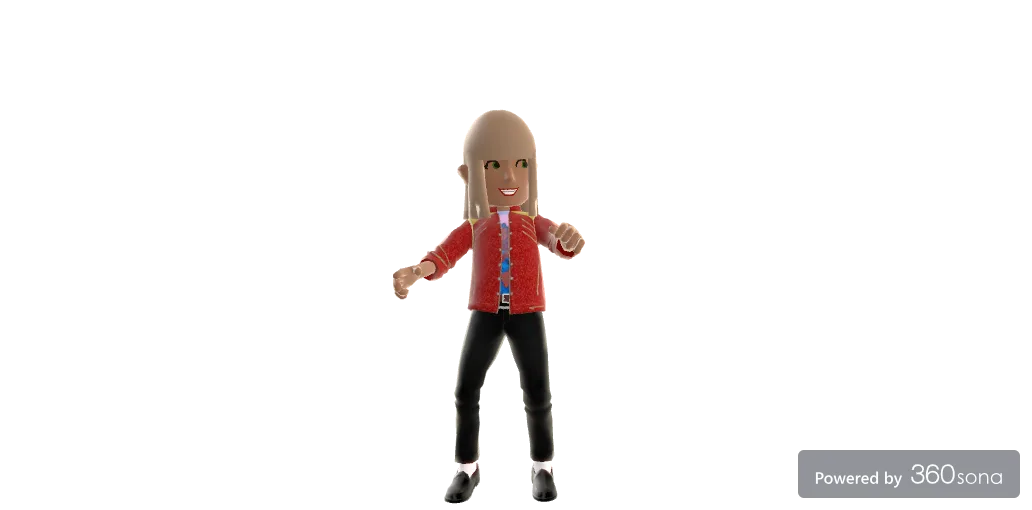
Sample
examples/editor.html in the web download: a game page that keeps the player's manifest, opens the editor in each
mode, themes it (light, dark, "the game's colours" through custom properties) and shows the result
on its own canvas.
Limits
- This is the web element only; the native editor's components (Unity, Unreal, Godot, C++/SDL3) are in Player editor.
- No custom items (
scene.items) in the pickers; a custom item already worn stays worn. - Translations: the strings are English, and
headingis the only one a page can change. - From the site's editor it leaves out, besides the parts above: the tile that stands for a set of colour and team variants (the site folds 904 tops into 88 such tiles), the filter bar, "Surprise me", the play button and the sounds. A grid shows 48 items and a "Show more" button rather than the site's 300.
This page as Markdown · All the docs as one file (llms-full.txt)