Tutorial: an Xbox 360 avatar in Blender and back
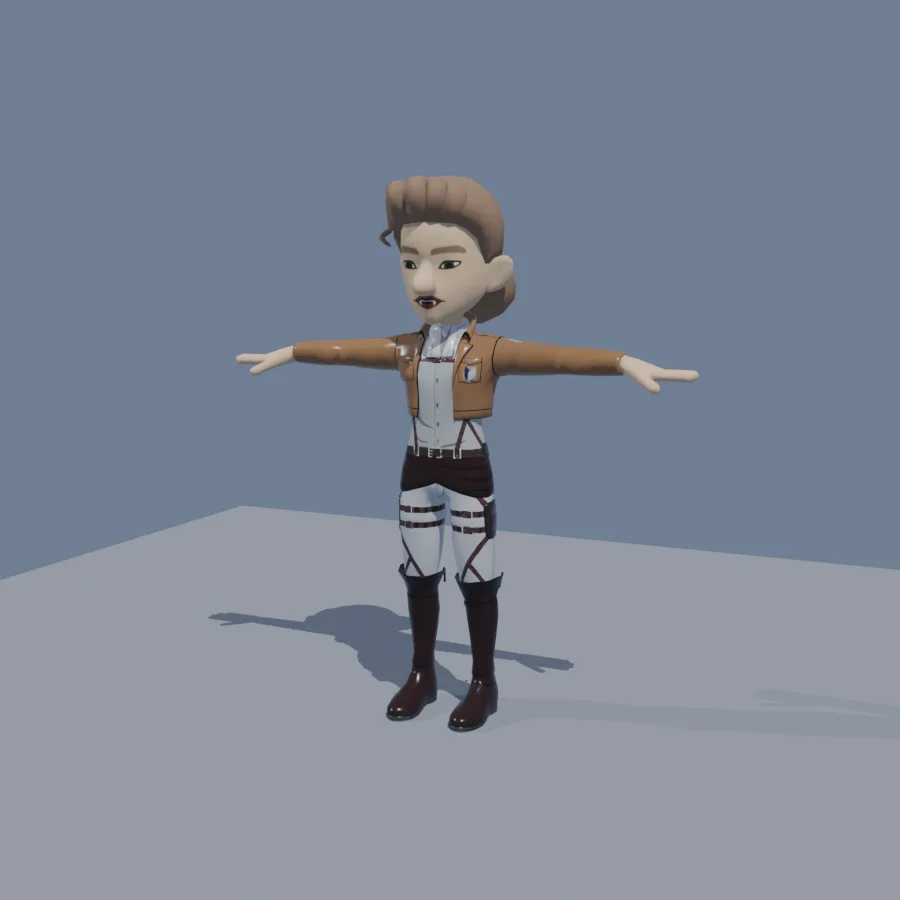
An avatar imported into Blender, rigged and with its animations as actions, and exported back as a GLB that the SDK's clip import reads.
1. Install the add-on
- Download
sona360-blender-<version>.zipwith the SDK (getting it). It holds the add-on, the Python binding and the library for your system. Blender 4.2 or later. - In Blender: Edit > Preferences > Get Extensions > Install from Disk, and pick the zip.
- In the add-on's preferences, set your licence file, your app id and where avatar data comes from.
2. Import
File > Import > 360sona Avatar. Paste the manifest (base64, a 360sona link with ?m=, or the JSON with "b64"),
list the clips (GenericWave, stock clip names or your own) and the frame rate.
You get an armature of 71 bones named as Unity Humanoid, standing in the T-pose with the avatar's body shape; the avatar's meshes skinned to it; and one action per clip on its own muted NLA track.
3. Edit
Change the actions or make new ones on the armature, as with any rig.
4. Export
Select the armature and use File > Export > 360sona Avatar (.glb). The rig, the meshes and every action go into one
GLB, which sona_clip_import reads to play your clips on any avatar (imported clips).
Next
- The Blender guide has the details and how the round trip is tested.
- Credit: show "Powered by 360sona" where your work uses these avatars. Exported files carry the line in their glTF copyright field.
This page as Markdown · All the docs as one file (llms-full.txt)