Tutorial: avatars as data with the Python binding
The sona package, 360sona's Python bindings, reads posed avatars as plain data for tools and pipelines, and draws
them with no window. This script loads one avatar, plays its wave, reads where its head is and saves a picture. The
finished script is code/hello.py.
1. What you need
The SDK for your platform (getting it), which holds the sona Python package and the
library; Python 3.8 or newer; a manifest as base64 in manifest.txt. The package loads the library from
SONA_LIB_DIR, or from the system's library path.
2. Open a context and wait for the avatar
The source ("gate", None) streams the item files from 360sona; ("dir", folder) reads a folder of your own.
with sona.Context(app_id=os.environ.get("SONA_APP_ID"), licence=licence,
                  sources=[source]) as ctx:
    avatar = ctx.add_base64(manifest)
    while not avatar.settled:
        ctx.update(1 / 60)
    if not avatar.ready:
        sys.exit("the avatar did not load")
settled is true once the avatar is ready or has failed.
3. Play a clip and read the pose
avatar.play("GenericWave")
for _ in range(60):
    ctx.update(1 / 60)

pose = avatar.pose()
head = avatar.joint_world("Head")
print(len(pose.meshes), "meshes;", "head at", tuple(round(v,
    3) for v in head[12:15]))
joint_world gives a row-vector matrix in metres; its last row holds the position. pose holds the meshes, the
materials, the textures and the 72-joint palette, valid until the next update.
4. Save a picture
sona.Headless is a renderer on the library's own device, with no window. render returns RGBA bytes, the top row
first; png_encode makes a PNG with the credit in its text chunks.
with sona.Headless(ctx) as h:
    rgba = h.render(avatar, width=480, height=600, clip="GenericWave",
        time=1.5)
with open("avatar.png", "wb") as f:
    f.write(ctx.png_encode(rgba, 480, 600))
5. Run it
SONA_LIB_DIR=sdk/lib PYTHONPATH=sdk/bindings/python python3 hello.py \
    sona-licence.json "$(cat manifest.txt)"
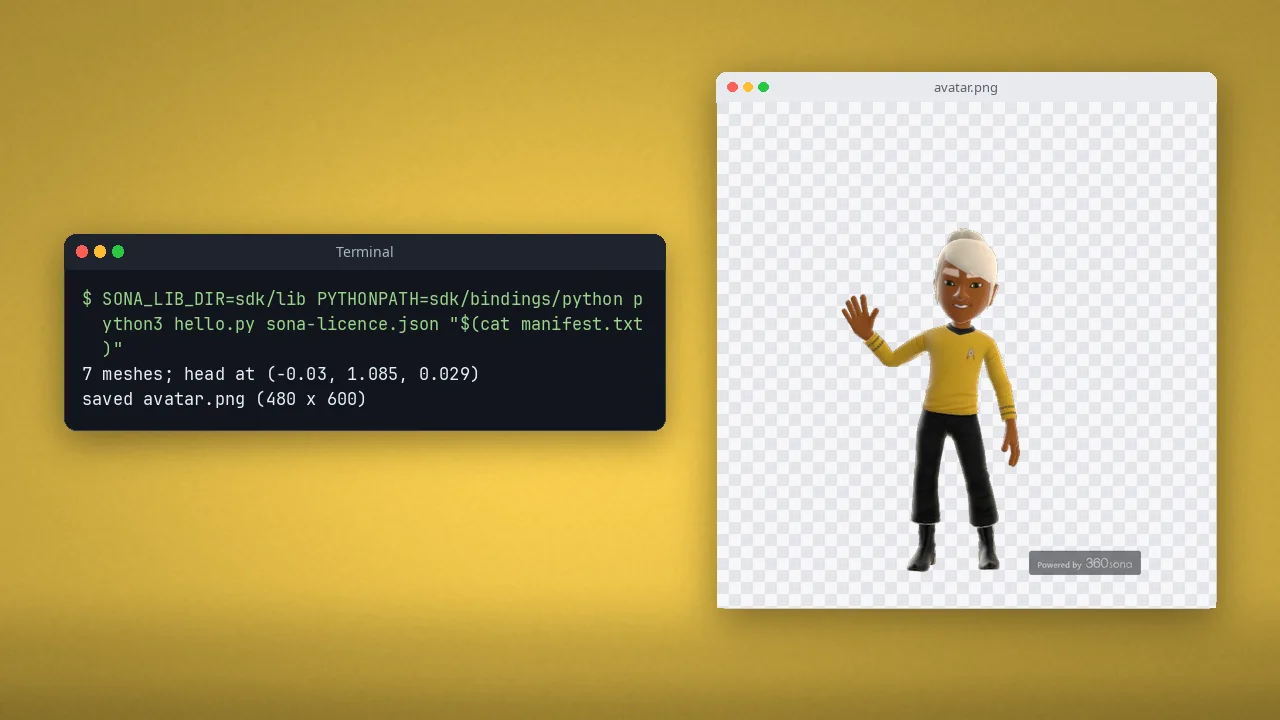
It prints the mesh count and the head's place, then saved avatar.png (480 x 600):
Next
- The Python binding's every call is in the bindings reference; the C reference has the rules behind them.
- Credit: show "Powered by 360sona" where your users see the avatars.
This page as Markdown · All the docs as one file (llms-full.txt)