Tutorial: your first avatar in C#
The C# binding (Sona.csproj, .NET Standard 2.1) runs on .NET 8 and inside Unity. This console program loads one
avatar, plays its wave, reads where its head is and saves a picture. The finished program is in
code/csharp.
1. What you need
The SDK for your platform (getting it), the .NET 8 SDK and a manifest as base64 in
manifest.txt. The project references the binding in your download:
  <SonaBindings
      Condition="'$(SonaBindings)' == ''">sdk/bindings/csharp</SonaBindings>
</PropertyGroup>

<ItemGroup>
  <ProjectReference Include="$(SonaBindings)/Sona.csproj" />
</ItemGroup>
SonaBindings is sdk/bindings/csharp beside the project; for a download somewhere else, give its folder:
dotnet run -p:SonaBindings=.
2. Open a context and add the avatar
SonaSourceSpec.Gate() streams the item files from 360sona; SonaSourceSpec.Dir(folder) reads a folder of your own.
var options = new SonaOptions
{
    Licence = File.ReadAllBytes(args[0]),
    AppId = Environment.GetEnvironmentVariable("SONA_APP_ID"),
};
// the gate: item files from 360sona
options.Sources.Add(dir != null ? SonaSourceSpec.Dir(dir) :
    SonaSourceSpec.Gate());
using var ctx = new SonaContext(options);

var avatar = ctx.AddBase64(args[1]);
while (avatar.State != SonaAvatarState.Ready &&
    avatar.State != SonaAvatarState.Failed) ctx.Update(1.0 / 60);
SonaContext checks every struct size and field offset against the library before it opens, so a mismatched
download fails at once instead of later.
3. Play a clip and read a joint
avatar.Play("GenericWave");
for (var i = 0; i < 60; i++) ctx.Update(1.0 / 60);

var head = new float[16];
avatar.TryGetJointWorld(SonaJoints.Find("Head"), head);
4. Save a picture
SonaHeadless is a renderer on the library's own device, with no window; EncodePng adds the credit to the PNG's
text chunks.
using var headless = new SonaHeadless(ctx);
var rgba = headless.Render(avatar, new SonaRenderOptions { Width = 480,
    Height = 600, Clip = "GenericWave", Time = 1.5f });
File.WriteAllBytes("avatar.png", ctx.EncodePng(rgba, 480, 600));
5. Run it
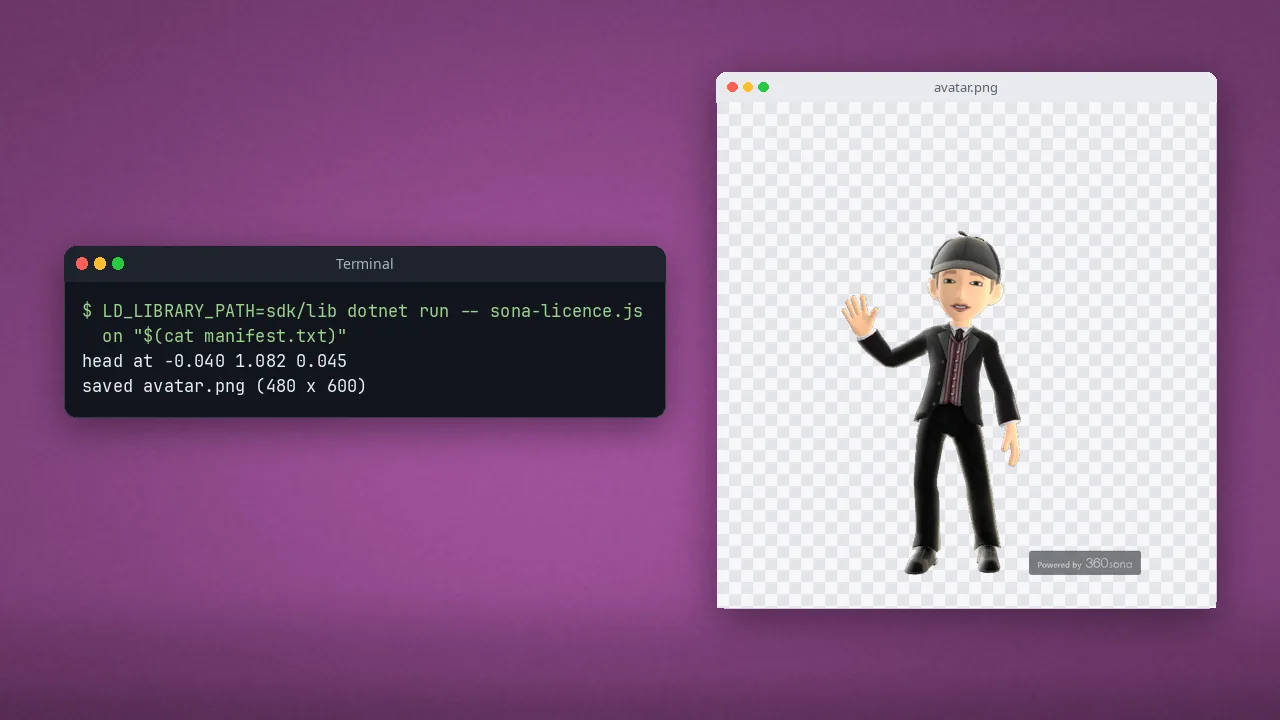
LD_LIBRARY_PATH=sdk/lib dotnet run -- sona-licence.json \
    "$(cat manifest.txt)"
On Linux the loader finds libsona.so through LD_LIBRARY_PATH; on Windows keep sona.dll beside the program. It
prints where the head is, then saved avatar.png (480 x 600):
Next
- In Unity, the same binding sits under the Unity package.
- The C reference has the rules behind every call.
- Credit: show "Powered by 360sona" where your users see the avatars.
This page as Markdown · All the docs as one file (llms-full.txt)