Tutorial: your first avatar in Rust
The sona360 crate (use sona; in code) wraps the C library safely; sona360-sys (sona_sys) holds the raw calls. This program loads one avatar, plays
its wave and saves a picture. The finished program is code/rust.
1. What you need
The SDK for your platform (getting it), Rust 1.77 or newer and a manifest as base64 in
manifest.txt. Set SONA_LIB_DIR to the folder that holds the library when you build. The project depends on the
crate in your download:
[dependencies]
# the crate in your download, unpacked into sdk/ beside this file
sona360 = { path = "sdk/bindings/rust/sona" }
Unpack your download into sdk/ beside Cargo.toml, or point the path at bindings/rust/sona where it is. The package is sona360; its library is sona.
2. Open a context
gate(None) streams the item files from 360sona; dir(folder) reads a folder of your own.
let licence = std::fs::read(&args[0])
    .map_err(|e| format!("cannot read {}: {}", args[0], e))?;
let mut cfg = sona::Config::new().licence(licence);
if let Ok(app) = std::env::var("SONA_APP_ID") {
    cfg = cfg.app_id(&app); // unset: the app id your download is made for
}
cfg = match &dir {
    Some(d) => cfg.dir(d),
    None => cfg.gate(None),
};
let ctx = sona::Context::open(cfg).map_err(|e| e.to_string())?;
3. Add the avatar and draw it
Headless::render waits for the avatar to load, poses it time seconds into clip and returns RGBA bytes, the top
row first.
let avatar = ctx.add_base64(&args[1],
    &sona::AddOptions::default()).map_err(|e| e.to_string())?;

// No window: one picture, 1.5 s into the wave.
let h = sona::Headless::open(&ctx,
    &sona::HeadlessOptions::default()).map_err(|e| e.to_string())?;
let mut ro = sona::RenderOptions::default();
ro.width = 480;
ro.height = 600;
ro.clip = Some("GenericWave".into());
ro.time = 1.5;
let rgba = h.render(&avatar, &ro).map_err(|e| e.to_string())?;
4. Save it
let png = ctx.png_encode(&rgba, ro.width,
    ro.height).map_err(|e| e.to_string())?;
std::fs::write(&path, png).map_err(|e| format!("cannot write {}: {}", path,
    e))?;
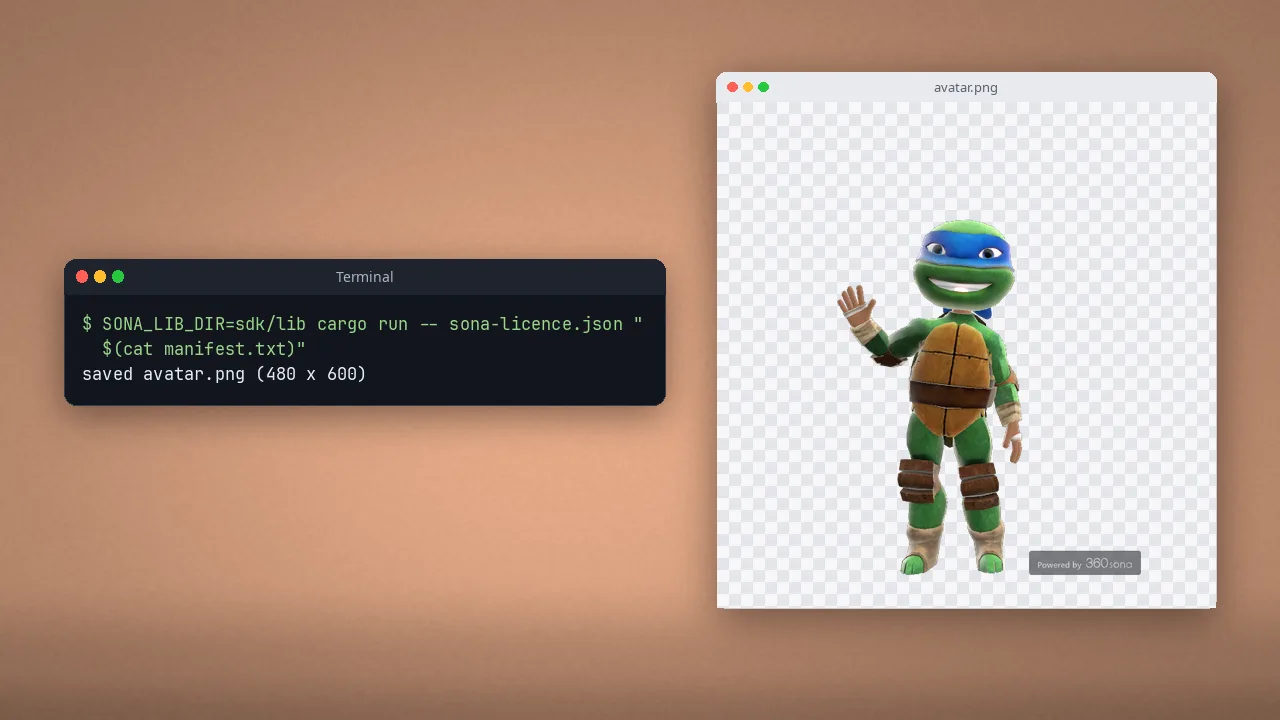
5. Run it
SONA_LIB_DIR=sdk/lib cargo run -- sona-licence.json "$(cat manifest.txt)"
It prints saved avatar.png (480 x 600):
Next
- The C reference has the rules behind every call; the crate's docs (
cargo doc --open) list its types. - Credit: show "Powered by 360sona" where your users see the avatars.
This page as Markdown · All the docs as one file (llms-full.txt)