Tutorial: the lobby template
The lobby template is a small C++ game where players sign in with 360sona (or give a gamertag) and meet in a room as their own avatars, walking, running and playing emotes, synced over UDP.
1. Build it
The lobby is one file, templates/lobby/main.cpp, from 360sona-templates.tar.gz (getting it) unpacked into your SDK download's folder (sdk/ below). On its own it builds and runs headless:
tar xzf 360sona-templates.tar.gz -C sdk
c++ -std=c++17 -O2 -I sdk/include sdk/templates/lobby/main.cpp -L sdk/lib \
    -lsona -lpthread \
  -Wl,-rpath,sdk/lib -o sona_lobby
| Add | For |
|---|---|
-DSONA_LOBBY_SDL $(pkg-config --cflags --libs sdl3) |
A window, a gamepad and the keyboard (SDL3) |
-DSONA_LOBBY_CURL -lcurl |
Sign in with 360sona on Linux and macOS (Windows uses the system's HTTP) |
On Windows, in a Developer PowerShell for Visual Studio, with sona.dll beside the program:
cl /std:c++17 /O2 /EHsc /I sdk\include `
  sdk\templates\lobby\main.cpp sdk\lib\sona.lib `
  ws2_32.lib winhttp.lib bcrypt.lib /Fe:sona_lobby.exe
Before you sign in
Sign in with 360sona needs two settings on your app (your app):
signinin what it wants, with the scopesprofile:read avatar:read, which is all the lobby asks for. An app that only reads is approved at once; one that asks foravatar:write(the plaza demo's saving) is read by a person first.http://127.0.0.1/callbackas a return address, with no port. The lobby listens on a free port of127.0.0.1and 360sona takes any port for a loopback address.
A player who joins by gamertag needs neither.
2. Run a lobby
One player hosts, the others join. Each brings their own avatar, from Sign in with 360sona (their saved avatar, in a browser tab) or from a gamertag:
sona_lobby --licence sona-licence.json --sign-in --serve 7777
sona_lobby --licence sona-licence.json --gamertag "Your Gamertag" --join \
    "<host address>:7777"
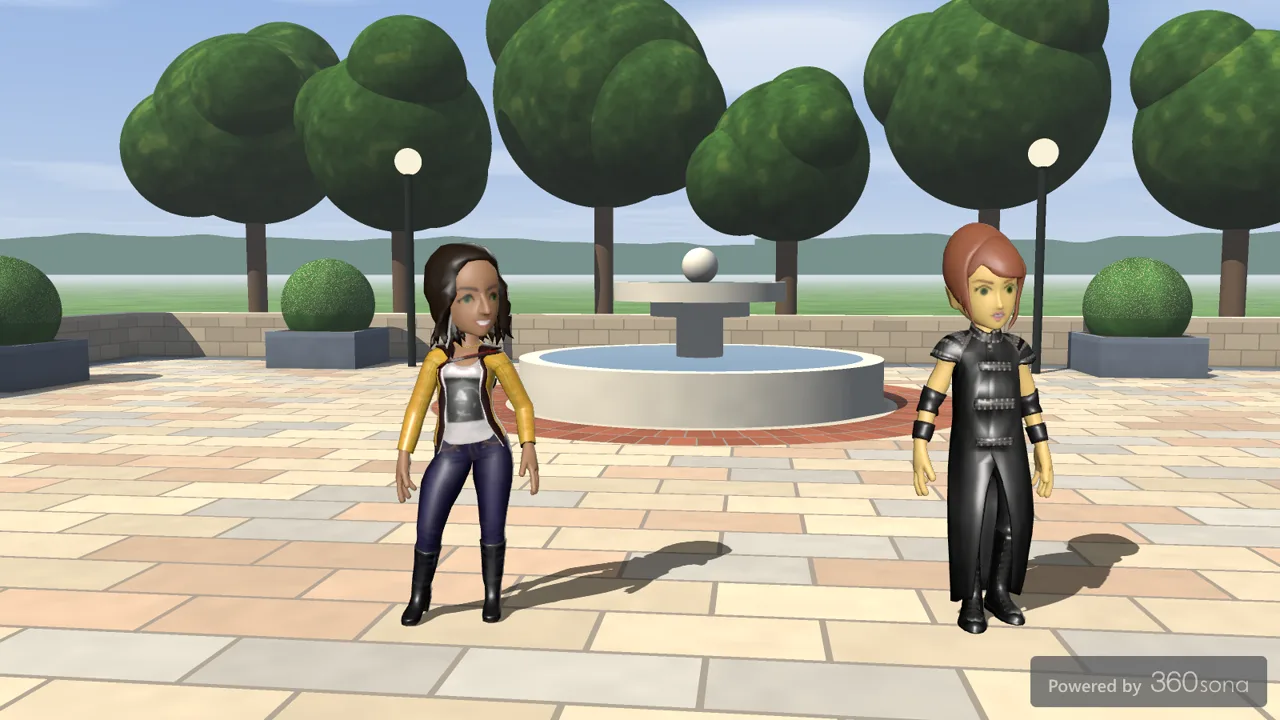
Left stick or WASD walks; A or Space runs, B or 1 cheers, X or 2 waves, Y or 3 claps. --headless --frames N --out
<folder> --script "walk 0 1 2; run; wave" plays the pad by itself and writes pictures:
3. How it works
Each player's avatar goes to every other player with the SDK's network sync: the avatar's look once, then a few bytes a tick for where it stands and what it plays.
// my avatar to each of them, at the tick rate
uint32_t want = (uint32_t)(t * kTickHz);
if (want != tick && me && sona_avatar_state_of(me) == SONA_AVATAR_READY &&
    net.joined) {
  tick = want;
  for (auto &e : remotes) {
    uint8_t buf[2048];
    size_t len = 0;
    std::memcpy(buf, &tick, 4);
    if (sona_net_write(e.second.out, me, tick, buf + 4, sizeof buf - 4,
        &len) == SONA_OK)
      net.send(STATE, e.first, buf, len + 4);
  }
}
On the other side sona_net_read takes the packet and sona_net_drive poses a puppet avatar a few ticks behind, so a
late packet is still in time. Every player sees the same pose, bit for bit.
4. Make it yours
- The room, the camera and the controls are in
main.cpp; the tick rate iskTickHz(30) at the top. signin.hholds the Sign in with 360sona flow (a browser tab, then the player's saved avatar).- Keep the "Powered by 360sona" badge
sona_drawputs in the corner.
Next
- Network sync and replays: the packets, ticks and what the host chooses.
- Other players' avatars: gamertag lookups and their cache.
This page as Markdown · All the docs as one file (llms-full.txt)