Tutorial: the VR template
The VR template is an OpenXR app where your headset and controllers drive a whole avatar body: you see your own arms, legs and feet, a mirror shows all of you, and other players walk about as avatars of their own.
1. What you need
- An OpenXR runtime with Vulkan: SteamVR, the Meta Quest Link runtime, Windows Mixed Reality, or Monado on Linux. Monado also runs with no headset at all.
- The OpenXR loader and headers, and the Vulkan loader and headers (where they come from).
- Your SDK download's licence file.
2. Build it
Unpack 360sona-templates.tar.gz (getting it) into your SDK download's folder (sdk/ below) for templates/xr/main.c. It links the XR module, sona_xr, the OpenXR loader and Vulkan:
tar xzf 360sona-templates.tar.gz -C sdk
cc -std=c99 -O2 -I sdk/include sdk/templates/xr/main.c -L sdk/lib \
    -lsona_xr -lsona -lopenxr_loader -lvulkan -lm \
  -Wl,-rpath,sdk/lib -o sona_vr
On Windows, in a Developer PowerShell for Visual Studio, with the OpenXR SDK in OpenXR\ and the Vulkan SDK
installed (it sets VULKAN_SDK), and with sona.dll, sona_xr.dll and openxr_loader.dll beside the program:
cl /O2 /I sdk\include /I OpenXR\include `
  /I "$env:VULKAN_SDK\Include" sdk\templates\xr\main.c `
  sdk\lib\sona_xr.lib sdk\lib\sona.lib OpenXR\lib\openxr_loader.lib "$env:VULKAN_SDK\Lib\vulkan-1.lib" `
  ws2_32.lib /Fe:sona_vr.exe
3. Run it
With a headset, start your runtime and run:
sona_vr --licence sona-licence.json --avatar me.b64
--avatar is your avatar as a base64 manifest (from sona avatar new, the editor, or a gamertag lookup). The left
stick walks and the right stick turns. With no headset, on Linux, Monado's null compositor and simulated controllers
stand in, and --walk takes a few steps towards the mirror by itself:
# it stops when its input ends
sleep infinity | XRT_COMPOSITOR_NULL=1 SIMULATED_ENABLE=1 monado-service &
sleep 2   # the service is up
XR_RUNTIME_JSON=<monado>/share/openxr/1/openxr_monado.json \
  sona_vr --licence sona-licence.json --avatar me.b64 --frames 600 --walk \
      --out shots
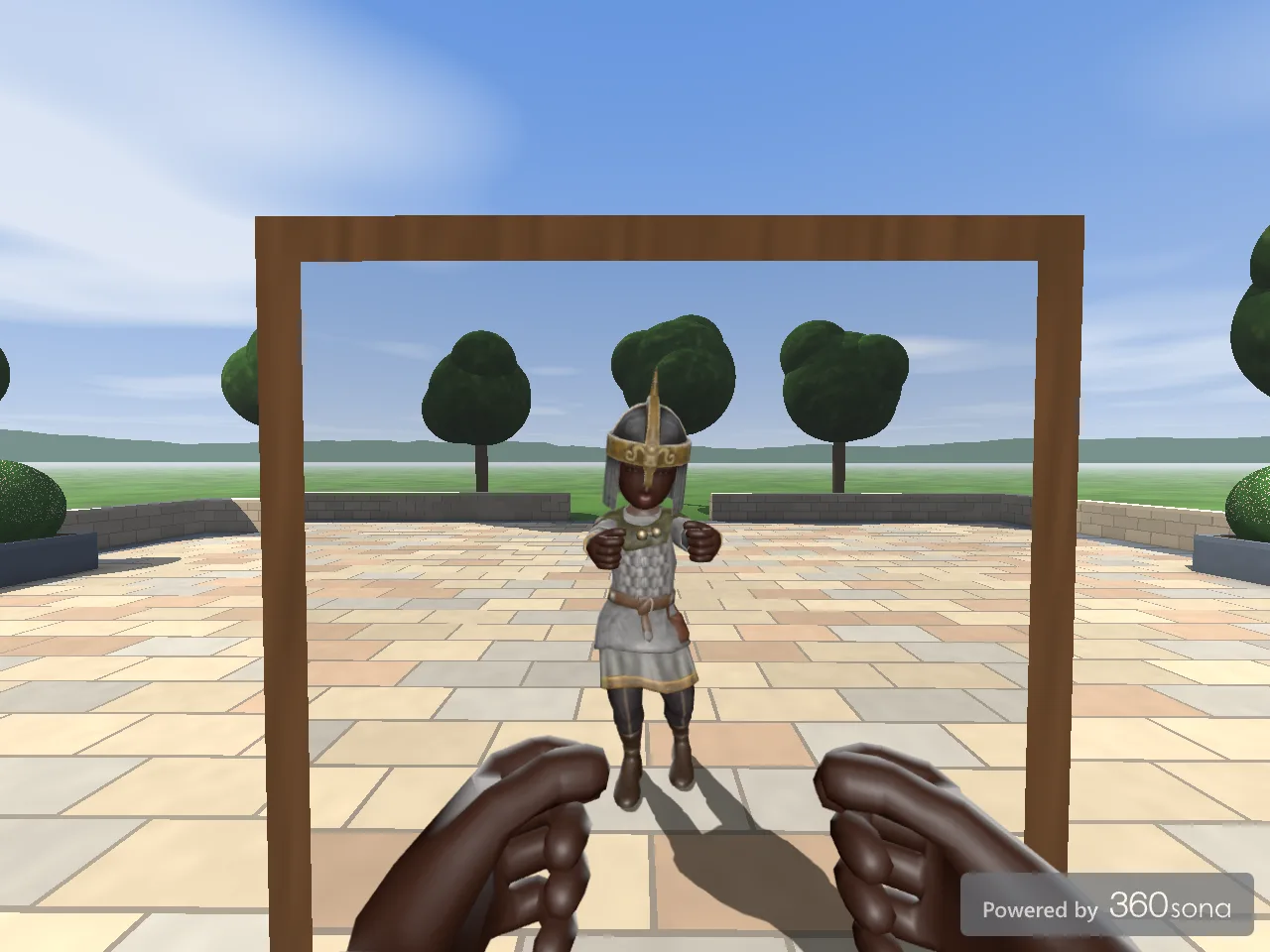
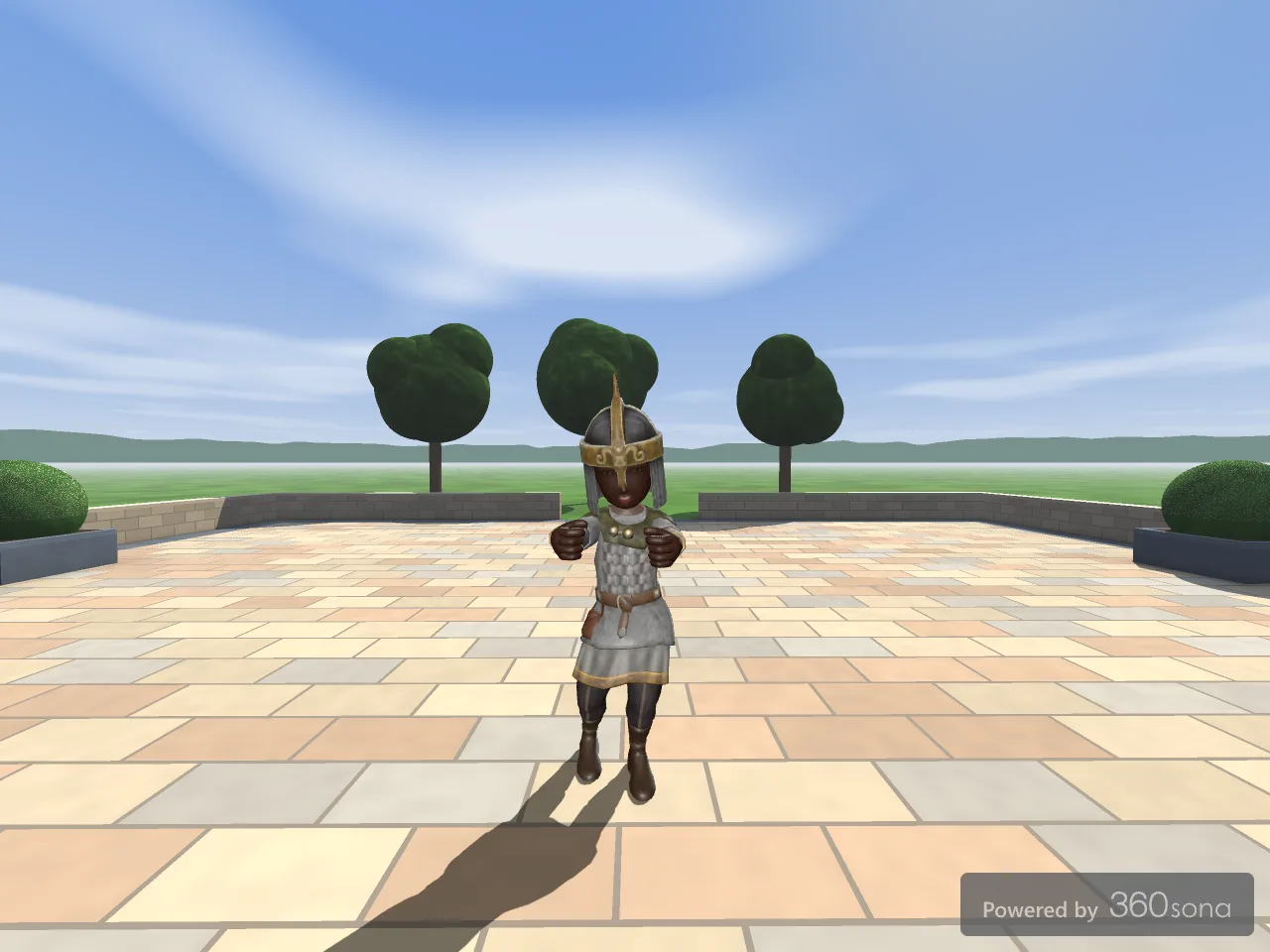
--out writes eye.png (the left eye as the headset shows it) and mirror.png (the mirror's own picture) there at
the end. The program exits with 3 when there is no runtime or headset.
4. How it works
You are two copies of one avatar: the whole one the mirror and other players see, and a first-person copy without the
hat, glasses, earrings and hair that would sit in front of your eyes. Each gets a sona_xr body:
sona_xr_defaults(&xo);
xo.flags = SONA_XR_OPENXR_SPACE | SONA_XR_FIRST_PERSON;
sona_xr_create(&xo, &g.me_xr);
xo.flags = SONA_XR_OPENXR_SPACE;
sona_xr_create(&xo, &g.me_mirror_xr);
Every frame the app reads the head and grip poses from OpenXR (xrLocateSpace), feeds them to both bodies and
applies each to its avatar before sona_update:
if (in.flags & SONA_XR_HAS_HEAD) {
  sona_xr_feed(g.me_xr, &in);
  sona_xr_feed(g.me_mirror_xr, &in);
  if (sona_avatar_state_of(g.me_first) == SONA_AVATAR_READY)
    sona_xr_apply(g.me_xr, g.me_first);
  if (sona_avatar_state_of(g.me_full) == SONA_AVATAR_READY)
    sona_xr_apply(g.me_mirror_xr, g.me_full);
}
Each eye and the mirror are drawn with sona_draw and composited into the runtime's swapchain image; each keeps the
small "Powered by 360sona" badge in its corner. The other players here walk on their own; in a game their poses arrive over the network
(network sync).
Next
- VR and XR bodies: spaces, the player's height, first person and mirrors.
- Inverse kinematics: what the body is built from.
This page as Markdown · All the docs as one file (llms-full.txt)