Tutorial: the plaza starter
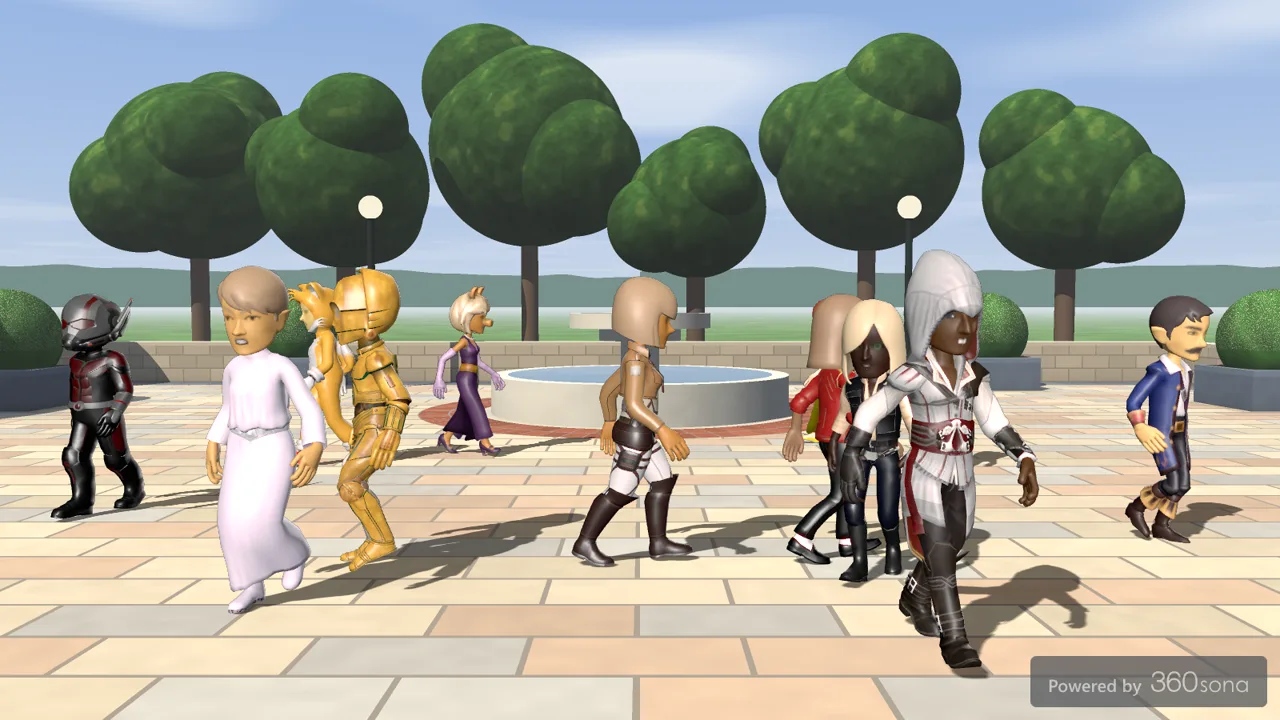
The plaza starter is the smallest whole program on each platform: twelve avatars in costumes walk about a plaza, with a loading screen while they arrive. It loads avatars, draws them and walks them, and does nothing else, so it is the file to copy when you start a game.
1. Get the starters
The starters are in 360sona-templates.tar.gz, with the templates
(getting it). Unpack it into the folder of your SDK download, so starters/
and templates/ sit beside include/, lib/ and bindings/. Below, that folder is sdk/, and
sona-licence.json is the licence from the same download. The commands are for a Linux shell, with each
platform's Windows commands under them (in a Developer PowerShell for Visual Studio).
tar xzf 360sona-templates.tar.gz -C sdk
| Platform | Source | How it draws the plaza |
|---|---|---|
| C | starters/c/plaza.c |
templates/place/place.h, on the CPU |
| C++ | The cpp-starter project template |
its own place.h |
| C# | starters/csharp |
Place.cs |
| Rust | starters/rust |
place.rs |
| Python | starters/python |
place.py, with numpy |
| Web | starters/web |
place.glsl in a WebGL2 canvas under the SDK's |
| Unity | The package's Plaza sample | Unity primitives and a soft-shadowed sun |
| Godot | starters/godot |
Godot meshes and shaders, a shadowed sun |
| Unreal | starters/unreal |
The engine's basic shapes, a sky and a shadowed sun |
| Android | starters/android |
place.h under a GLES3 pass |
| iOS | starters/ios |
place.h under a transparent Metal view |
Every one walks the same twelve costumes on the same six loops
(the sample avatars). The avatars' item files stream from 360sona; the
desktop starters take --dir <folder> to read them from a folder of your own instead. Each opens the app its
licence names, which is the app your download is made for.
- Build it against the download:
cc -std=c99 -O2 -I sdk/include sdk/starters/c/plaza.c -L sdk/lib -lsona \
    -lm -Wl,-rpath,sdk/lib -o plaza
- Run it. It draws on the library's headless device (a GPU, or a software one), walks the cast for eight seconds and writes the last frame:
./plaza --licence sona-licence.json --cast sdk/starters/showcase-cast.json \
    --out plaza.png
On Windows, build with MSVC and keep sona.dll beside the program:
cl /O2 /I sdk\include sdk\starters\c\plaza.c sdk\lib\sona.lib
copy sdk\bin\sona.dll .
.\plaza --licence sona-licence.json --cast sdk\starters\showcase-cast.json --out plaza.png
It prints one line of JSON (avatars, ready, walked), exits 0 only when every avatar was ready, and writes
plaza.png:
| Option | Meaning | Default |
|---|---|---|
--licence <file> |
Your licence | none |
--dir <folder> |
A folder of avatar files to read instead of streaming them | the gate |
--cast <file> |
The cast: a list of { "title", "b64" } |
showcase-cast.json |
--seconds <n> |
How long they walk before the picture | 8 |
--size <W>x<H> |
The picture's size | 1600x900 |
--out, --loading, --layer |
The frame, the loading screen, the avatars alone | plaza.png, none, none |
The C#, Rust and Python starters take the same options and write the same pictures.
The C++ starter is not in the archive: it is the project the sona tool makes with sona project new, with its
own build files. The tool installs apart from the SDK (installing the tools); then
follow the C++ starter tutorial.
- Build and run it; the project references the binding in
sdk/bindings/csharp, and--libnames the library:
dotnet run -c Release --project sdk/starters/csharp -- --lib \
    "$PWD/sdk/lib/libsona.so" \
  --licence sona-licence.json --cast sdk/starters/showcase-cast.json --out \
      plaza-cs.png
On Windows, --lib names sona.dll:
dotnet run -c Release --project sdk\starters\csharp -- `
  --lib "$PWD\sdk\bin\sona.dll" `
  --licence sona-licence.json --cast sdk\starters\showcase-cast.json --out plaza-cs.png
- It writes
plaza-cs.png, the same picture as the C starter's.
- Build and run it; the crate depends on the binding in
sdk/bindings/rustby path:
SONA_LIB_DIR="$PWD/sdk/lib" cargo run --release --manifest-path \
    sdk/starters/rust/Cargo.toml -- \
  --licence sona-licence.json --cast sdk/starters/showcase-cast.json --out \
      plaza-rs.png
On Windows, SONA_LIB_DIR names the folder of sona.lib, and sona.dll must be on the PATH when it runs:
$env:SONA_LIB_DIR = "$PWD\sdk\lib"; $env:PATH = "$PWD\sdk\bin;$env:PATH"
cargo run --release --manifest-path sdk\starters\rust\Cargo.toml -- `
  --licence sona-licence.json --cast sdk\starters\showcase-cast.json --out plaza-rs.png
- It writes
plaza-rs.png, the same picture as the C starter's. It needs Rust 1.77 or later (rustup).
- Install numpy, which paints the plaza:
python3 -m venv .venv && .venv/bin/pip install -q -r \
    sdk/starters/python/requirements.txt
- Run it; the script finds the
sonapackage insdk/bindings/python:
.venv/bin/python sdk/starters/python/plaza.py --lib sdk/lib/libsona.so \
  --licence sona-licence.json --cast sdk/starters/showcase-cast.json --out \
      plaza-py.png
On Windows the virtual environment's programs are in .venv\Scripts, and --lib names sona.dll:
py -m venv .venv
.venv\Scripts\pip install -q -r sdk\starters\python\requirements.txt
.venv\Scripts\python sdk\starters\python\plaza.py --lib sdk\bin\sona.dll `
  --licence sona-licence.json --cast sdk\starters\showcase-cast.json --out plaza-py.png
- It writes
plaza-py.png, the same picture as the C starter's.
- Copy the starter's files into the
examplesfolder of the web download, besidecrowd.html. The web download is made for your app id and draws only on the origins your app lists, so addhttp://localhostto them first (getting the web SDK):
cp sdk/starters/web/* web-sdk/examples/
- Serve the web download's folder and open
examples/plaza.html:
cd web-sdk && python3 -m http.server 8080
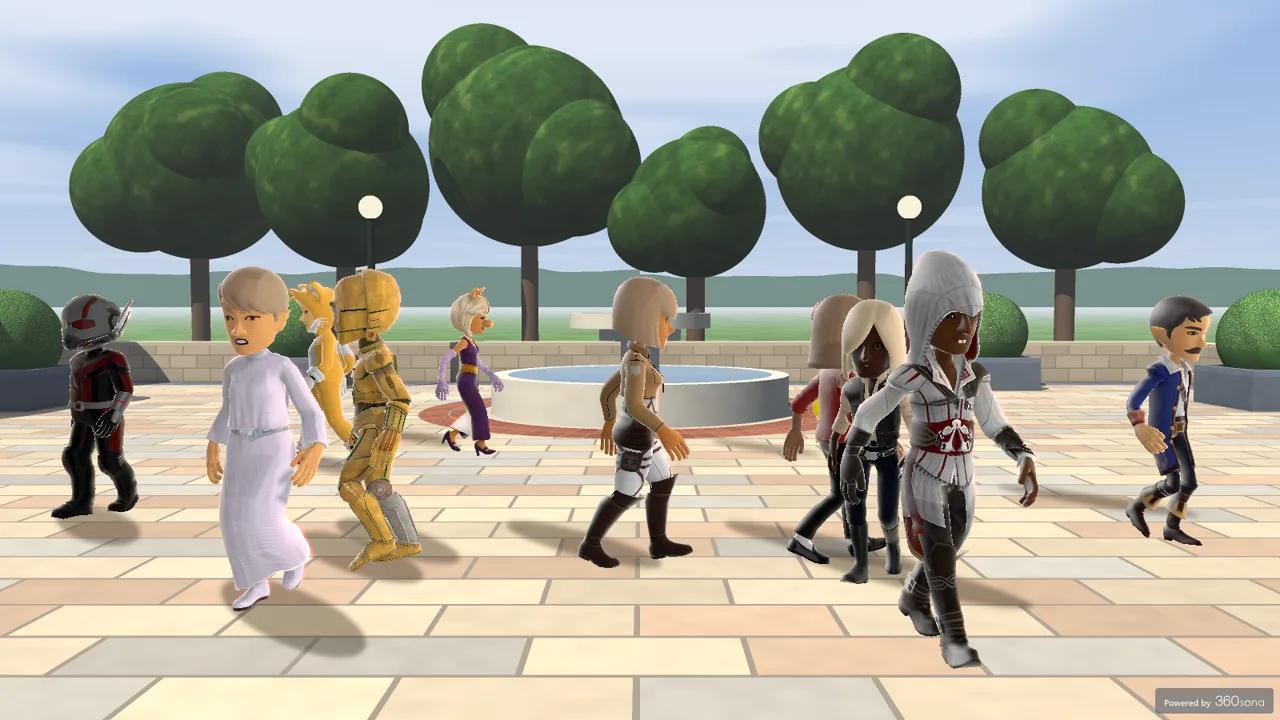
The page draws the plaza in one canvas and the SDK draws the avatars in a canvas over it:
const cast = await (await fetch('plaza-cast.json')).json();
const walkers = cast.map((c, i) => sona.add(c.b64, { ...where(i, 0),
    clip: 'idle' }));
await Promise.allSettled(walkers.map((a) => a.ready));
walkers.forEach((a, i) => a.play(WALK, { loop: true, from: i * 0.13 }));
$('loading').remove();
- Add the package from the Unity download: Package Manager, Add package from disk, its
package.json(Unity tutorial). - In the Package Manager's Samples tab, import Plaza and open
Plaza.unity. - Select the
SonaContextobject, dragsona-licence.jsononto its Licence field, and press Play.
The scene's twelve Walker objects each hold a SonaAvatar; PlazaStarter.cs builds the plaza and walks them.
Once every walker is ready, each plays the walk, a little apart:
if (Loading)
{
    foreach (var a in Walkers) if (a == null ||
        a.State != global::Sona.SonaAvatarState.Ready) return;
    Loading = false;
    for (var i = 0; i < 12; i++) Walkers[i].Play(Walk, true, 1, i * 0.13f);
    return;
}
- Copy the addon and your licence into the starter's project:
cp -r godot-sdk/addons sdk/starters/godot/ && cp sona-licence.json \
    sdk/starters/godot/
- Run the plaza scene with Godot 4.7 (or open the project in the editor and run
plaza/plaza.tscn):
godot --path sdk/starters/godot res://plaza/plaza.tscn
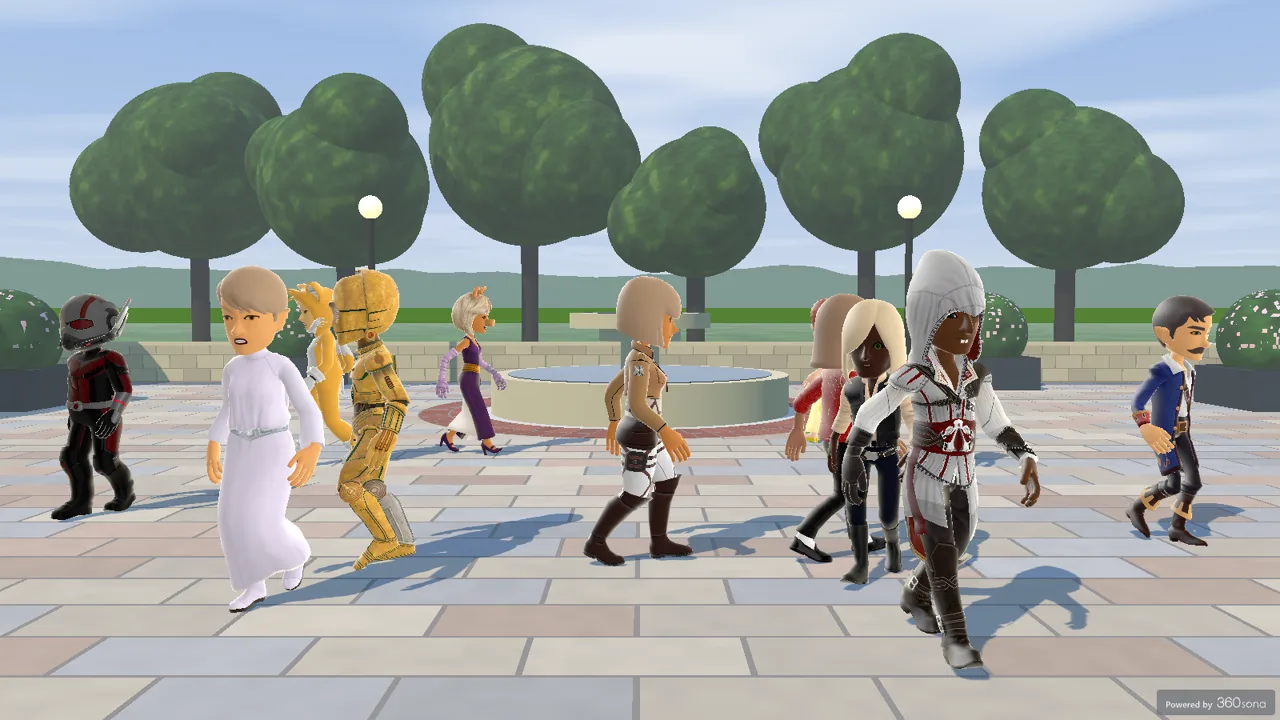
plaza.gd adds a SonaAvatar3D per costume and moves them each frame (Godot tutorial). Godot draws it:
- Copy the plugin from the Unreal download and your licence into the project:
mkdir -p sdk/starters/unreal/Plugins sdk/starters/unreal/Content/Sona360
cp -r unreal-sdk/Sona360 sdk/starters/unreal/Plugins/
cp sona-licence.json sdk/starters/unreal/Content/Sona360/
- Open
sdk/in Unreal Engine 5.8 or later, let it build the plugin, and press Play.starters/ unreal/ SonaPlaza. uproject
The archive holds two Unreal projects: starters/unreal is this one, SonaPlaza; starters/unreal-starter is
SonaStarter, the Unreal tutorial's room with the player editor.
SonaPlazaGameMode.cpp spawns the walkers from Content/Sona360/plaza-cast.json (Unreal tutorial),
and Unreal draws them.
starters/android/plaza.c is the C starter as a NativeActivity: no Java. It needs the Android download (in
android-sdk/), the NDK and Python 3.
- Build
libplaza.sowith the NDK's clang (API 26, arm64):
NDK=$ANDROID_HOME/ndk/27.2.12479018
CC=$NDK/toolchains/llvm/prebuilt/linux-x86_64/bin/aarch64-linux-android26-clang
GLUE=$NDK/sources/android/native_app_glue
$CC -shared -fPIC -O2 -I android-sdk/include -I "$GLUE" \
    sdk/starters/android/plaza.c "$GLUE/android_native_app_glue.c" \
  -L android-sdk/lib/arm64-v8a -lsona -landroid -llog -lEGL -lGLESv3 -lm \
      -u ANativeActivity_onCreate \
  -Wl,-z,max-page-size=16384 -o libplaza.so
- Pack your licence and the cast as the app's data, then make the APK:
mkdir -p data && cp sona-licence.json data/ && cp \
    sdk/starters/web/plaza-cast.json data/cast.json
tar --format=ustar -C data -cf data.tar .
python3 sdk/starters/android/apk.py --out plaza.apk --abi arm64-v8a --lib \
    libplaza.so \
  --lib android-sdk/lib/arm64-v8a/libsona.so --asset data.tar --icon \
      sdk/starters/android/icon.png
- Install and start it:
adb install plaza.apk && adb shell am start -n \
    com.sona360.plaza/android.app.NativeActivity
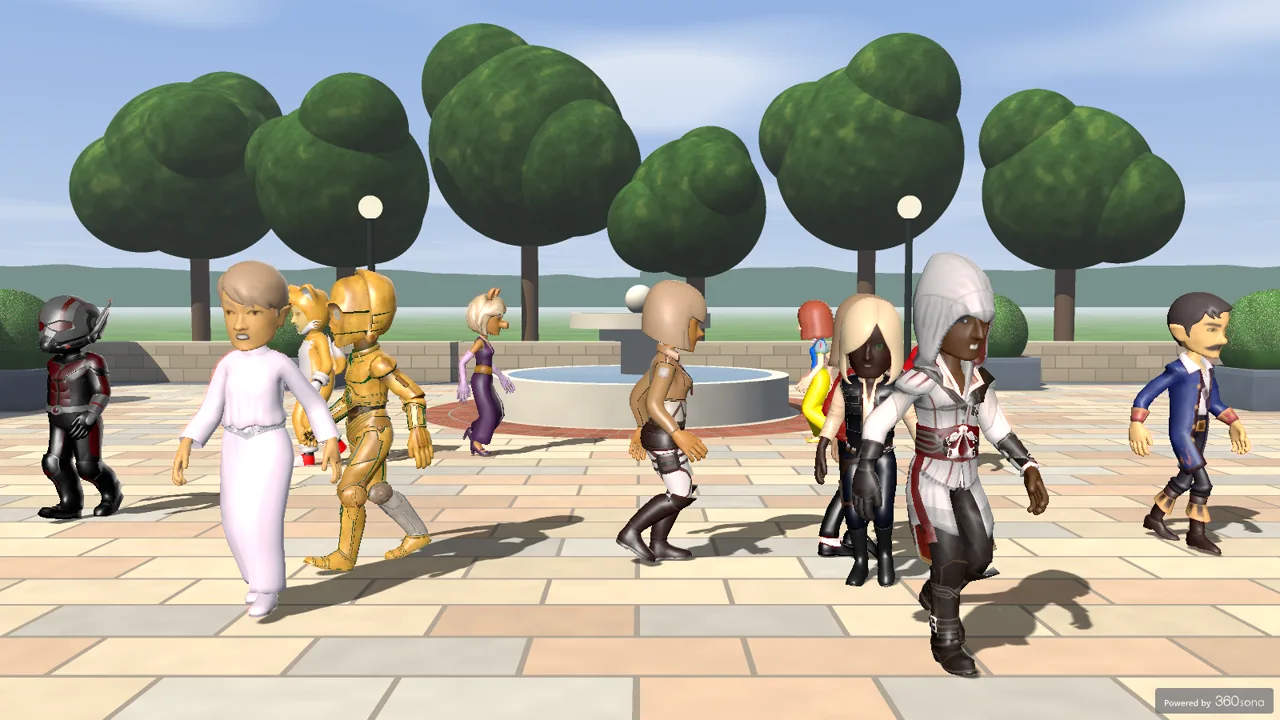
It shows the loading screen, then the plaza:
The starter is written for the iOS library, sona.xcframework, in the ios download (?platform=ios,
platforms).
- Make an app target in Xcode with ARC, add
starters/ios/main.mandstarters/ios/Info.plist, and linksona.xcframework, UIKit, Metal, MetalKit, QuartzCore, CoreGraphics and Foundation. - Add a
datafolder to the bundle withsona-licence.jsonandcast.json(starters/web/plaza-cast.json). - Run it on a device. The avatars stream from 360sona unless the bundle has a
data/corpusfolder.
How it works
Every starter is these four steps. In C:
- Open the library with a device to draw on.
if (sona_open(&cfg, &ctx) != SONA_OK) { fprintf(stderr,
    "plaza: sona_open failed (the licence, or --dir)\n"); goto done; }
sona_headless_defaults(&ho);
if (sona_headless_open(ctx, &ho, &hd) != SONA_OK) { fprintf(stderr,
    "plaza: no headless device\n"); goto done; }
- Add each costume as an avatar, playing the stock walk with foot locking so the feet do not slide.
{
  sona_play_options po = { 1, 1, (float)i * 0.13f };
  sona_ik_foot_lock lock;
  sona_placement pl;
  sona_avatar_play_stock(wk->a, sona_stock_clip_find("walk_forward"), &po,
                         0);
  sona_ik_foot_lock_defaults(&lock);
  sona_avatar_ik_foot_lock(wk->a, &lock);
  place_walker(wk, &pl);
  sona_avatar_move(wk->a, &pl, 0);
}
- Update until every avatar is ready, showing the loading screen meanwhile.
for (ready = 0, i = 0; i < (int)count; i++) {
  sona_avatar_state st = sona_avatar_state_of(walkers[i].a);
  ready += st == SONA_AVATAR_READY || st == SONA_AVATAR_FAILED;
}
if (ready == count) break;
sona_update(ctx, 1.0 / 60, &view, NULL);
- Each frame, move every walker a step along its loop with
sona_avatar_move, update, and draw.
The plaza and the logo
The SDK draws avatars; the world is always the host's. The starters share two small parts under templates/:
| Folder | What it is | Used for |
|---|---|---|
place |
The plaza: a square, a fountain, walls, planters, lamp posts and trees under a sky, ray-traced from tables, so it needs no meshes or textures (place.h on the CPU, place.glsl on the GPU) |
place_paint paints it as a sona_view sees it; place_look gives the avatars its light; place_under lays the avatars over it |
brand |
360sona's square logo and the loading screen (brand.h: brand_logo, brand_loading) |
The loading screen and the window icon |
Change the tables at the top of place.h to change the place. A real game draws its own world in its place.
Make it yours
- Put your own avatars in the cast file, or look players up by gamertag with
sona_players. - Draw into your own window: make a renderer on your device and call
sona_draweach frame (getting started). - The same plaza with picking, an editor and saving: the plaza demo.
This page as Markdown · All the docs as one file (llms-full.txt)