Tutorial: the VTuber kit
The VTuber kit is a program where your webcam drives the avatar's head, brows, eyes and moods, your microphone drives its mouth, and OBS captures it from a transparent window.
1. Build it
templates/vtuber/main.c is in 360sona-templates.tar.gz (getting it), unpacked into your SDK download's folder (sdk/ below). It links the face tracking module, sona_track:
tar xzf 360sona-templates.tar.gz -C sdk
cc -std=c99 -O2 -I sdk/include sdk/templates/vtuber/main.c -L sdk/lib \
    -lsona_track -lsona -lm \
  -Wl,-rpath,sdk/lib -o sona_vtuber
Add -DSONA_VTUBER_SDL $(pkg-config --cflags --libs sdl3) for the transparent window and the microphone; without
SDL3 it runs headless and writes pictures.
On Windows, in a Developer PowerShell for Visual Studio, with sona.dll and sona_track.dll beside the program:
cl /O2 /I sdk\include sdk\templates\vtuber\main.c `
  sdk\lib\sona_track.lib sdk\lib\sona.lib /Fe:sona_vtuber.exe
The webcam goes through MediaPipe's face landmarker, run by templates/. It needs Python
with mediapipe and numpy, ffmpeg, and MediaPipe's model, face_landmarker.task
(getting them).
2. Run it
python3 sdk/templates/vtuber/mediapipe_track.py --webcam 0 --model \
    face_landmarker.task --out - |
  sona_vtuber --licence sona-licence.json --avatar me.b64 --face - --mic
--avatar is your avatar as a base64 manifest. Look straight at the camera for the first moments: that is your
neutral face. In OBS, add a Window Capture of "360sona VTuber" and keep its transparency.
To make a clip instead, with no window, record a face stream from a video of your face, then give it a voice recording (a WAV file):
python3 sdk/templates/vtuber/mediapipe_track.py --video me.mp4 --model \
    face_landmarker.task --out clip.sonatrack
sona_vtuber --licence sona-licence.json --avatar me.b64 --face \
    clip.sonatrack --audio voice.wav \
  --headless --out shots
It writes every 15th frame as a PNG with alpha and a run.json (--every, --size).
3. How it works
Each frame the face tracker's state goes onto the avatar, and while you speak the voice's mouth shape replaces the face's:
sona_track_apply(trk, a);
if (sona_track_face_get(trk, &fs) == SONA_OK && fs.tracking) {
  float y = yaw_deg(fs.head);
  if (y < st->yaw_min) st->yaw_min = y;
  if (y > st->yaw_max) st->yaw_max = y;
}
/* while you speak the voice shapes the mouth; otherwise the face does */
if (ls && sona_lipsync_current(ls, &lf) == SONA_OK &&
    (lf.flags & SONA_LIPSYNC_VOICED) && lf.open > 0.05f) {
  sona_avatar_mouth(a, lf.mouth);
The face stream's 52 blendshapes and head rotation go in with sona_track_face_feed; the microphone's samples with
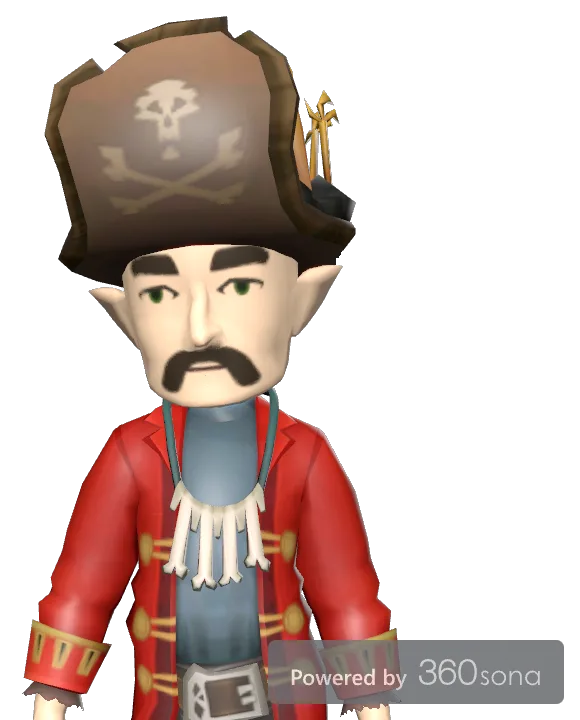
sona_lipsync_feed. The badge "Powered by 360sona" stays in the corner of what OBS captures.
Next
- Face tracking: the blendshapes, calibration and smoothing.
- Lip sync: the analyser, its delay and voice-chat mouths.
- VRM export: your avatar in other VTuber apps.
This page as Markdown · All the docs as one file (llms-full.txt)